Product: My Space
Steps to Active 2FA Code
1.LOGIN
Login in to your account.
Go to the dashboard page.
2.Dashboard Page
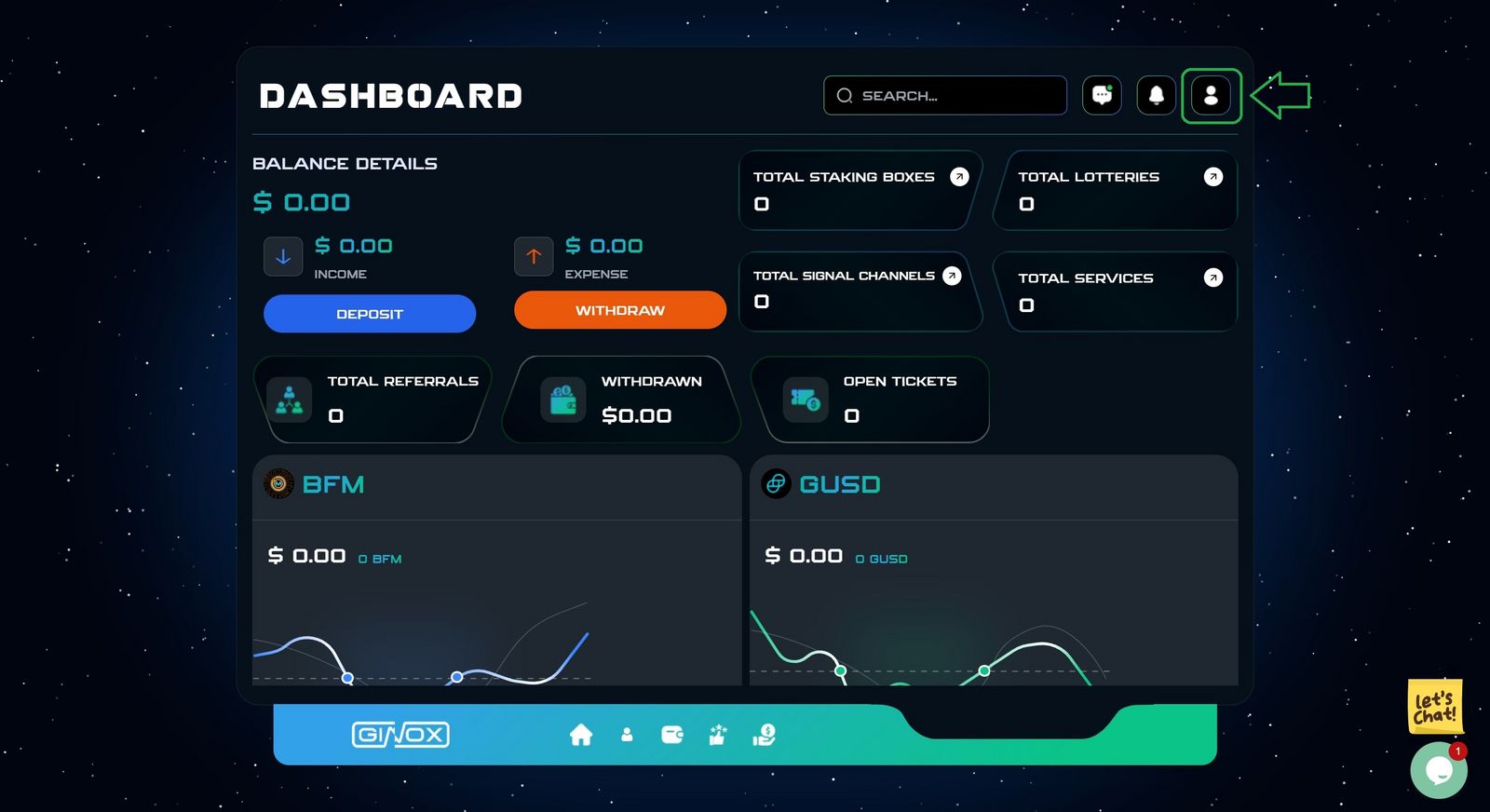
Click on the specified Green button. (Green box)
3.Profile Section
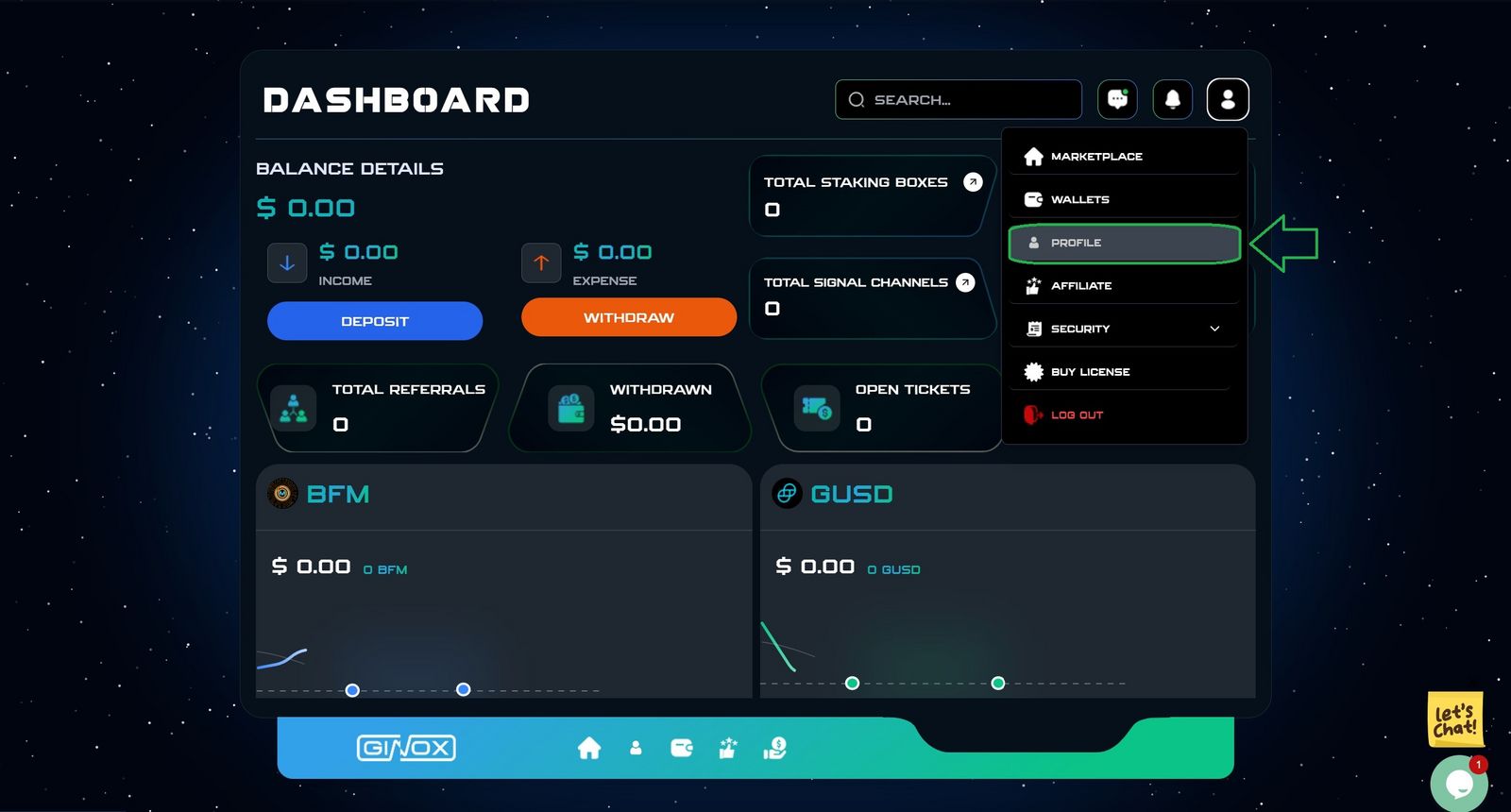
Click on the profile button in the menu.
4.Google Authentication
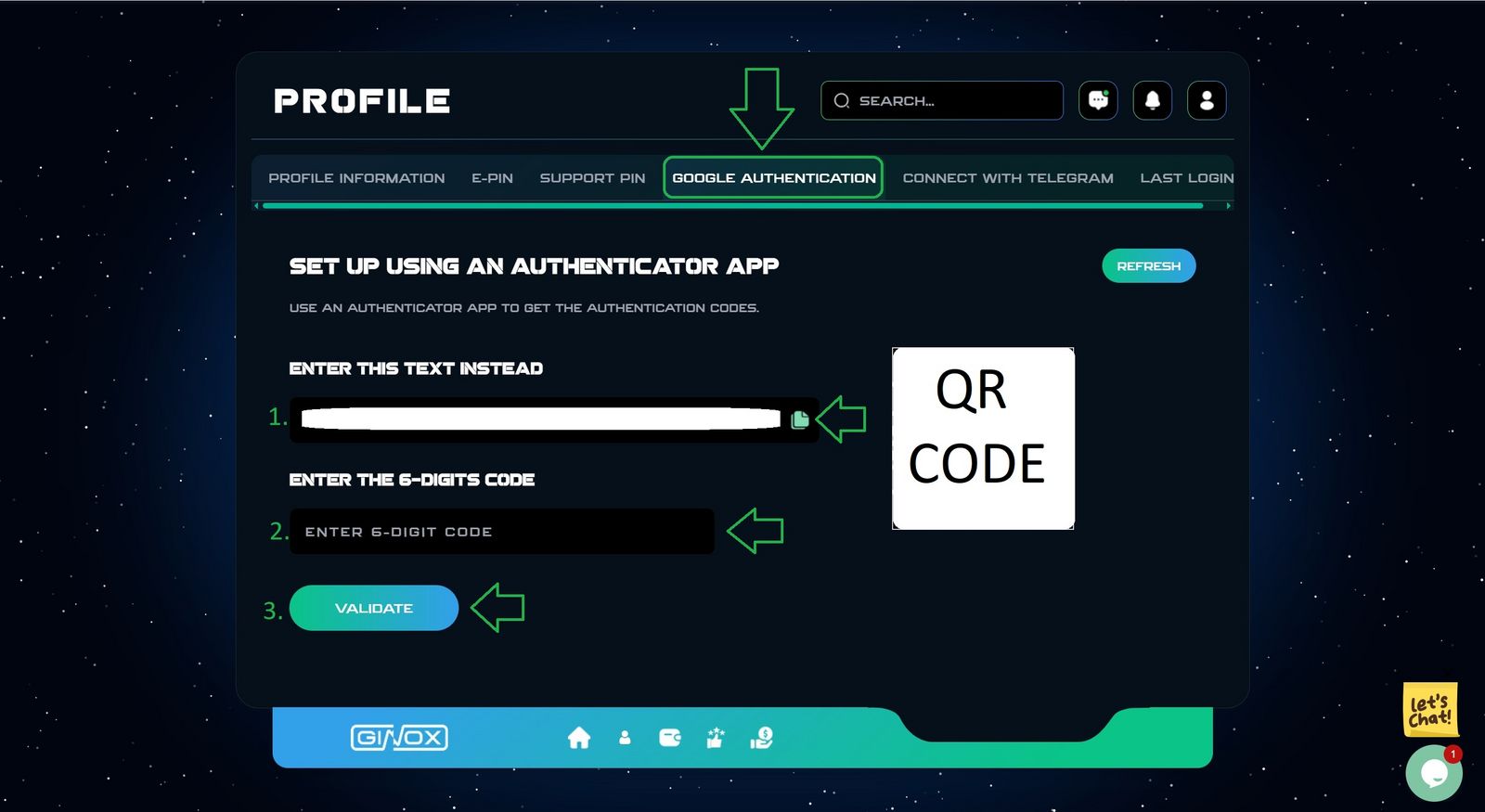
. Select Google authentication section.
. Open the Google authenticator App on your phone.
- Scan the displayed QR Code, Or copy Text.
- Enter the generated code to confirm.
- Click on the validate button.
Tips
Save your backup code.
A New code is generated every 30 seconds.
Your 2FA Code has been successfully activated.