Product: My Space
Steps to Active E-pin Code
1.LOGIN
Login in to your account.
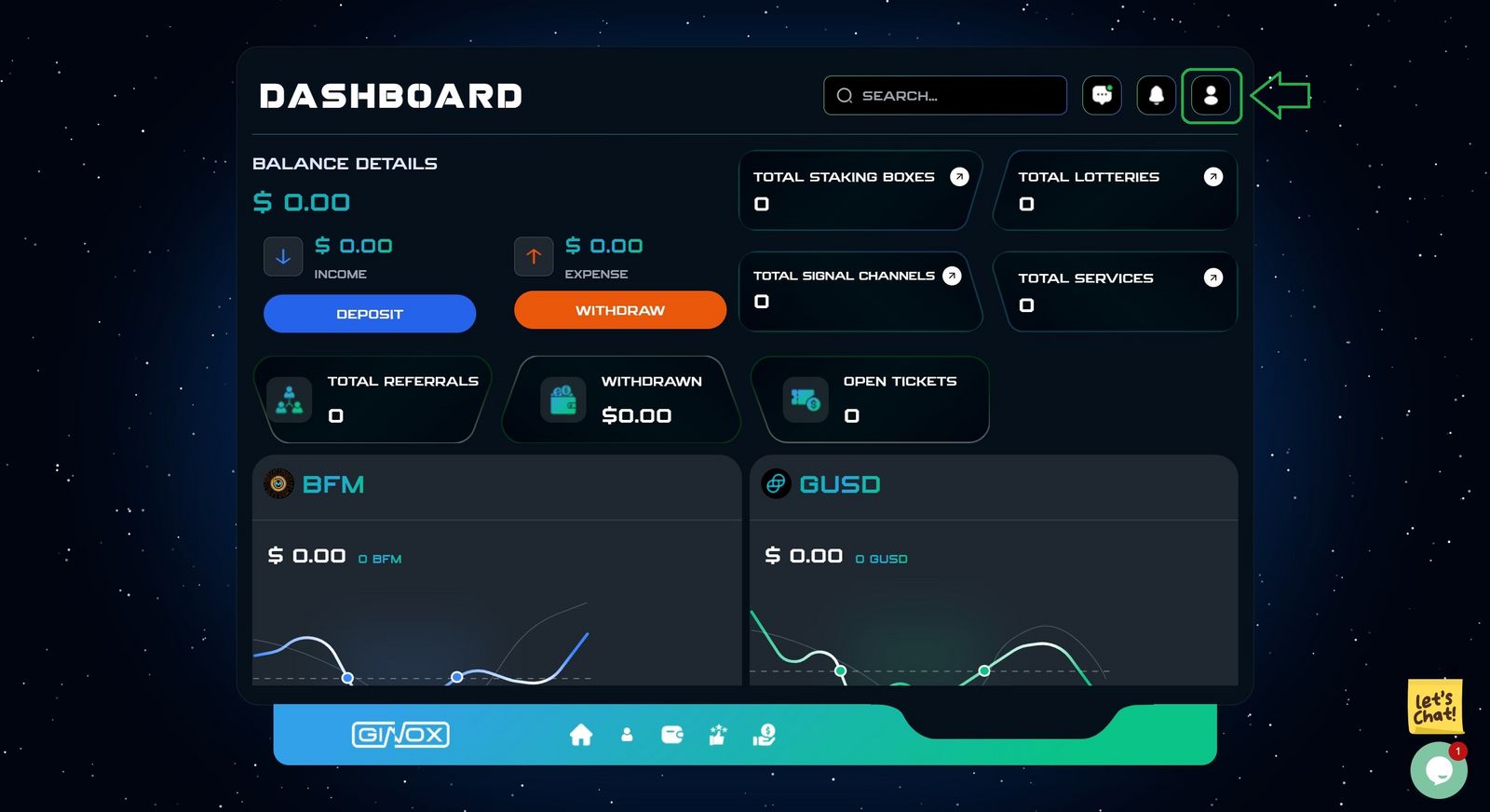
Go to the dashboard page.
2.Dashboard Page
Click on the specified Green button. (Green box)
3. Profile Section
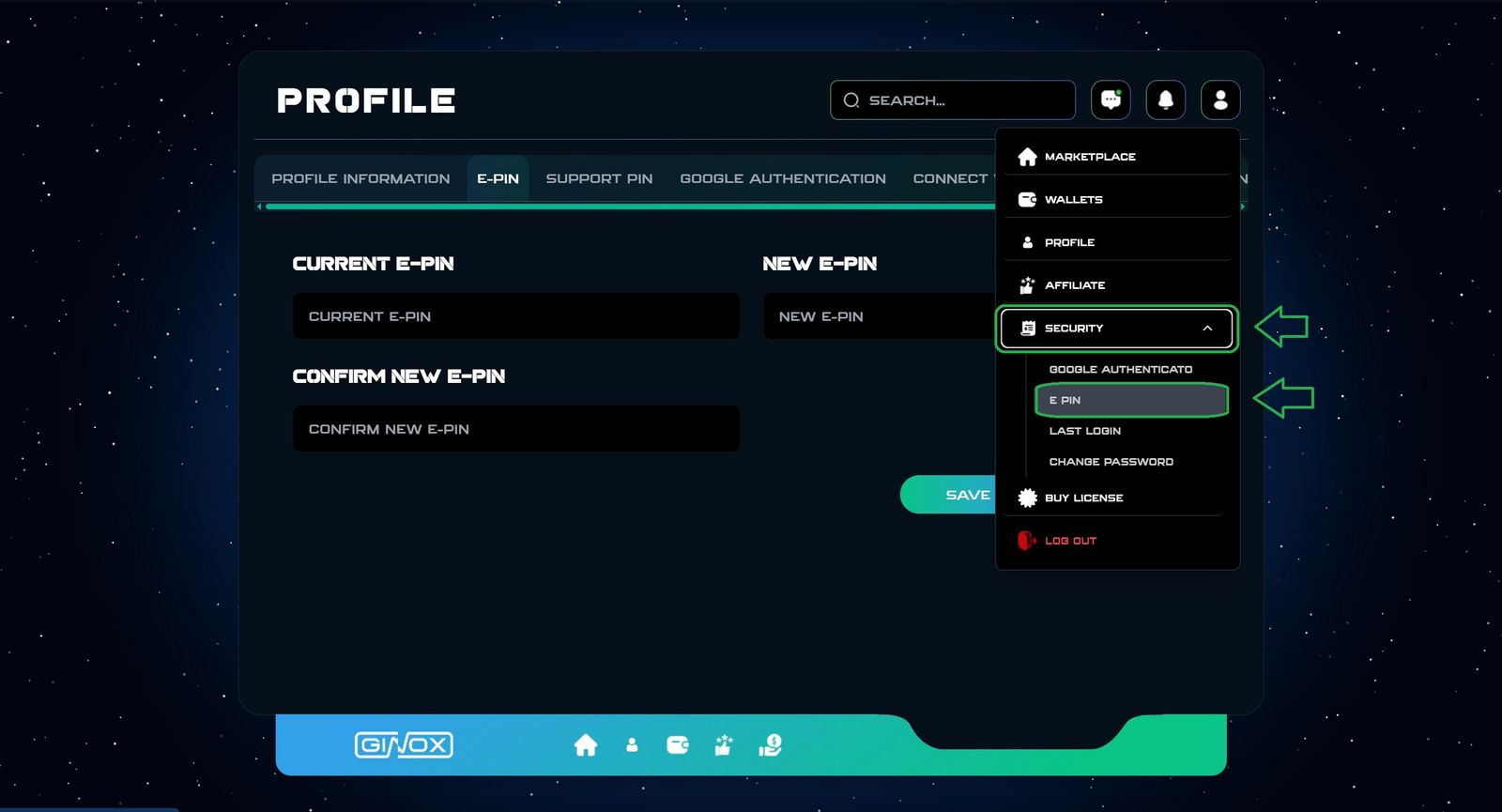
- Click on Security button in the menu.
- Click on E-PIN button.
4.Set E-PIN
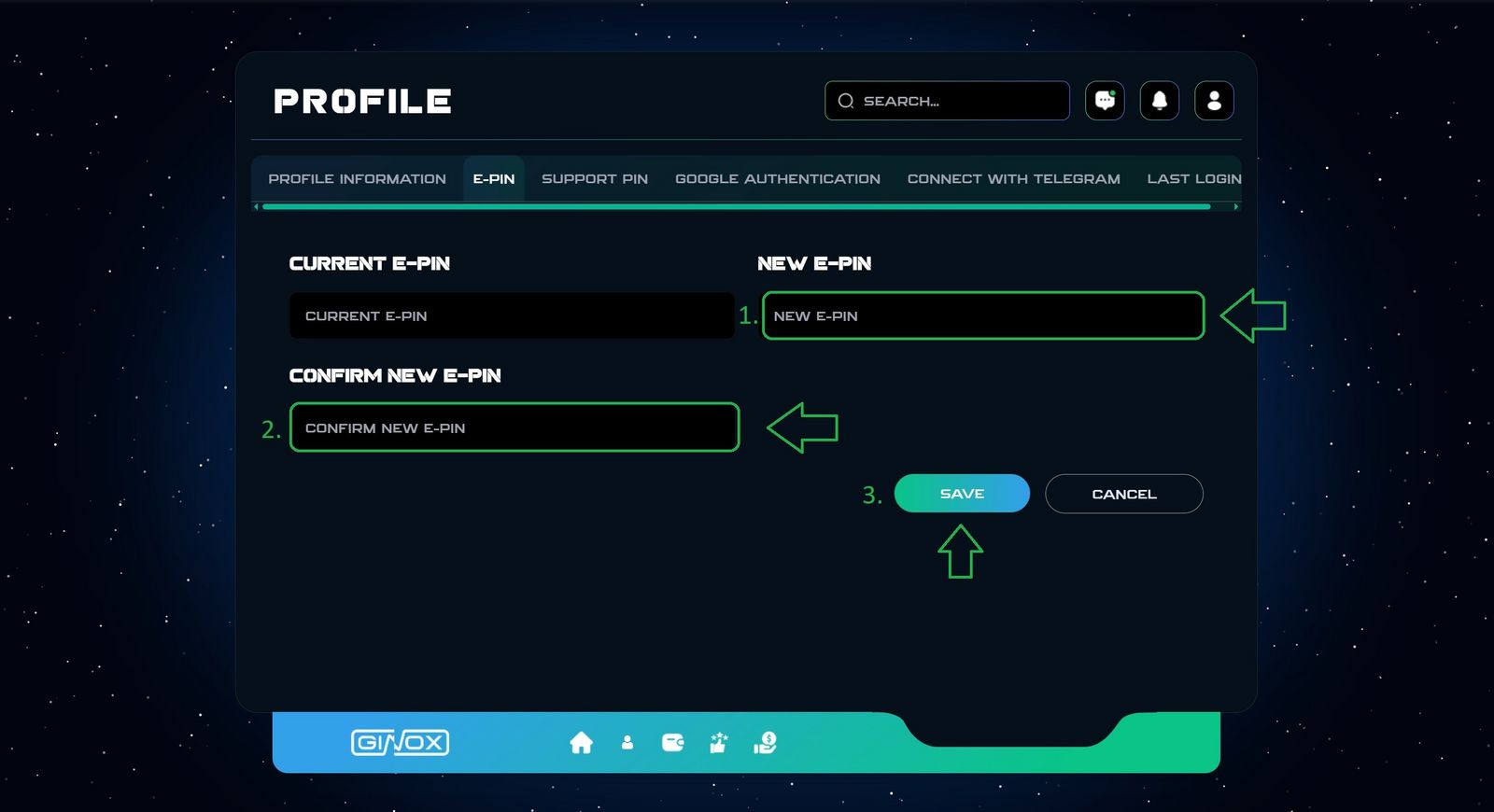
- Enter E-PIN. (E-PIN must Have 5 digits)
- Enter Confirm E-PIN.
- Click Save.
Your E-PIN has been successfully activated.
If you face any Issues, please contact our support team.