Product: My Space
Steps to Change Password
1.LOGIN
Login in to your account.
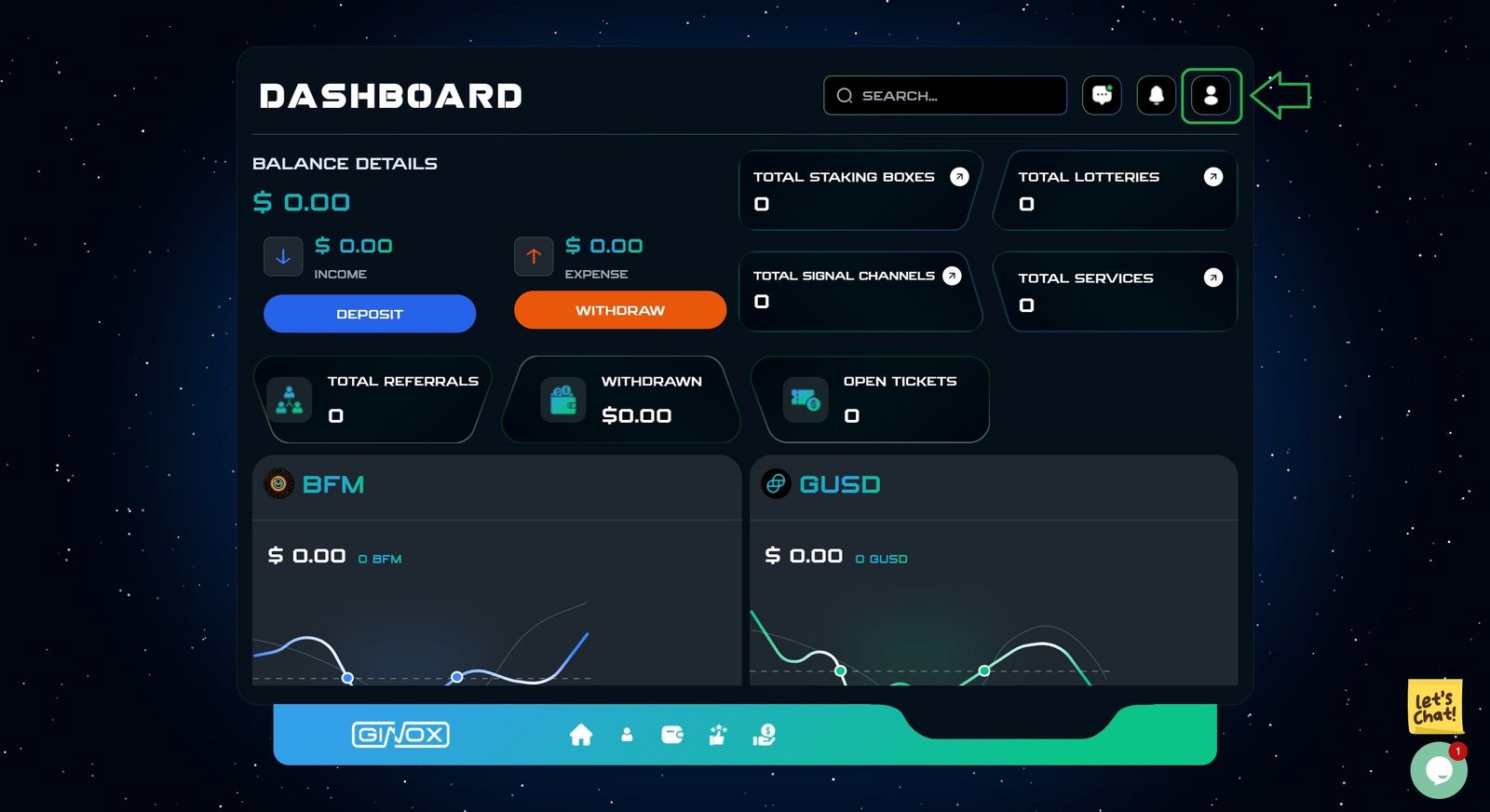
Go to the Dashboard page.
2. Dashboard Page
Click on the specified Green button. (Green box)
3.Security Section
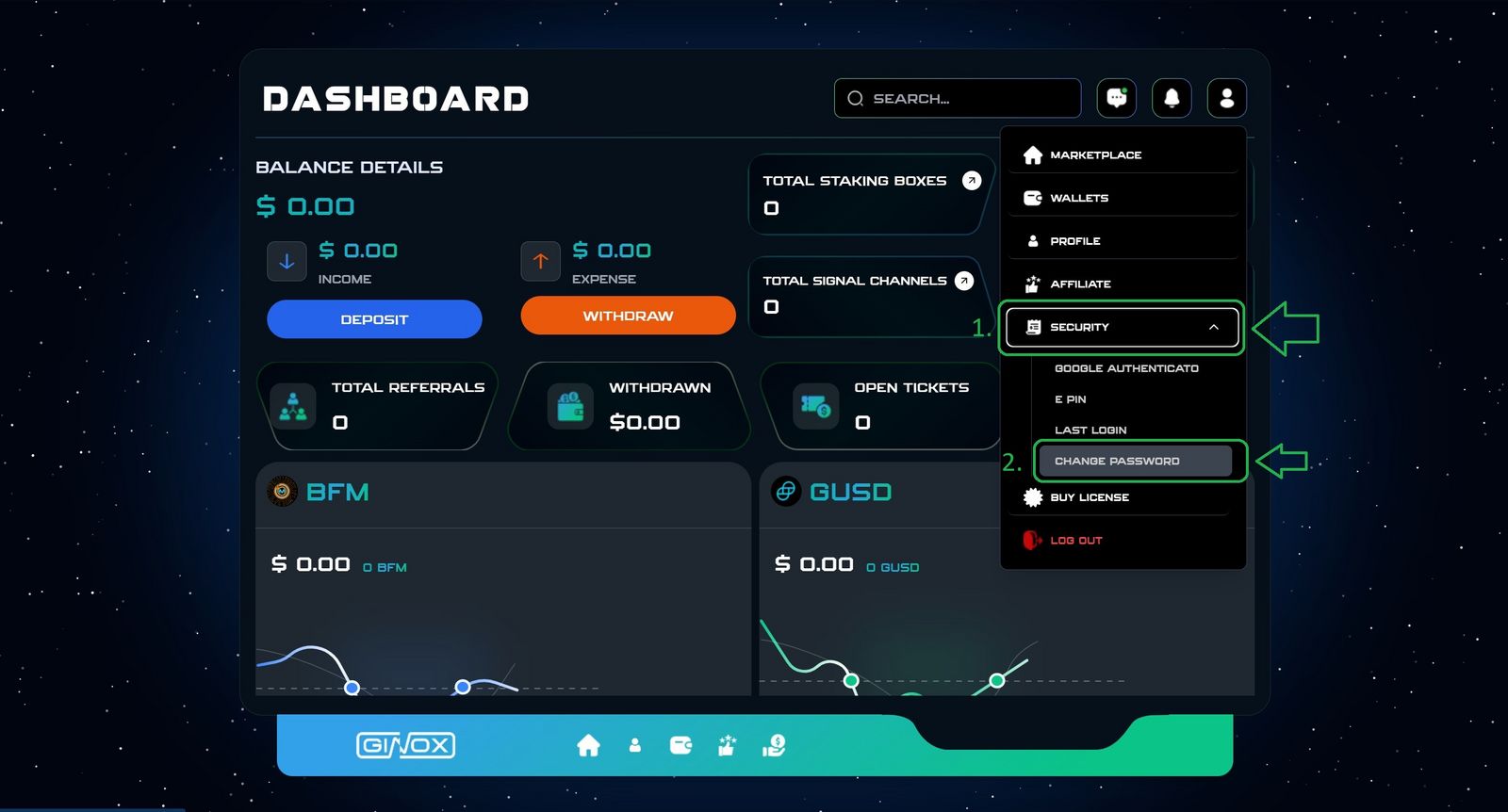
Click on Security in the menu.
Select Change Password.
4. Change Password
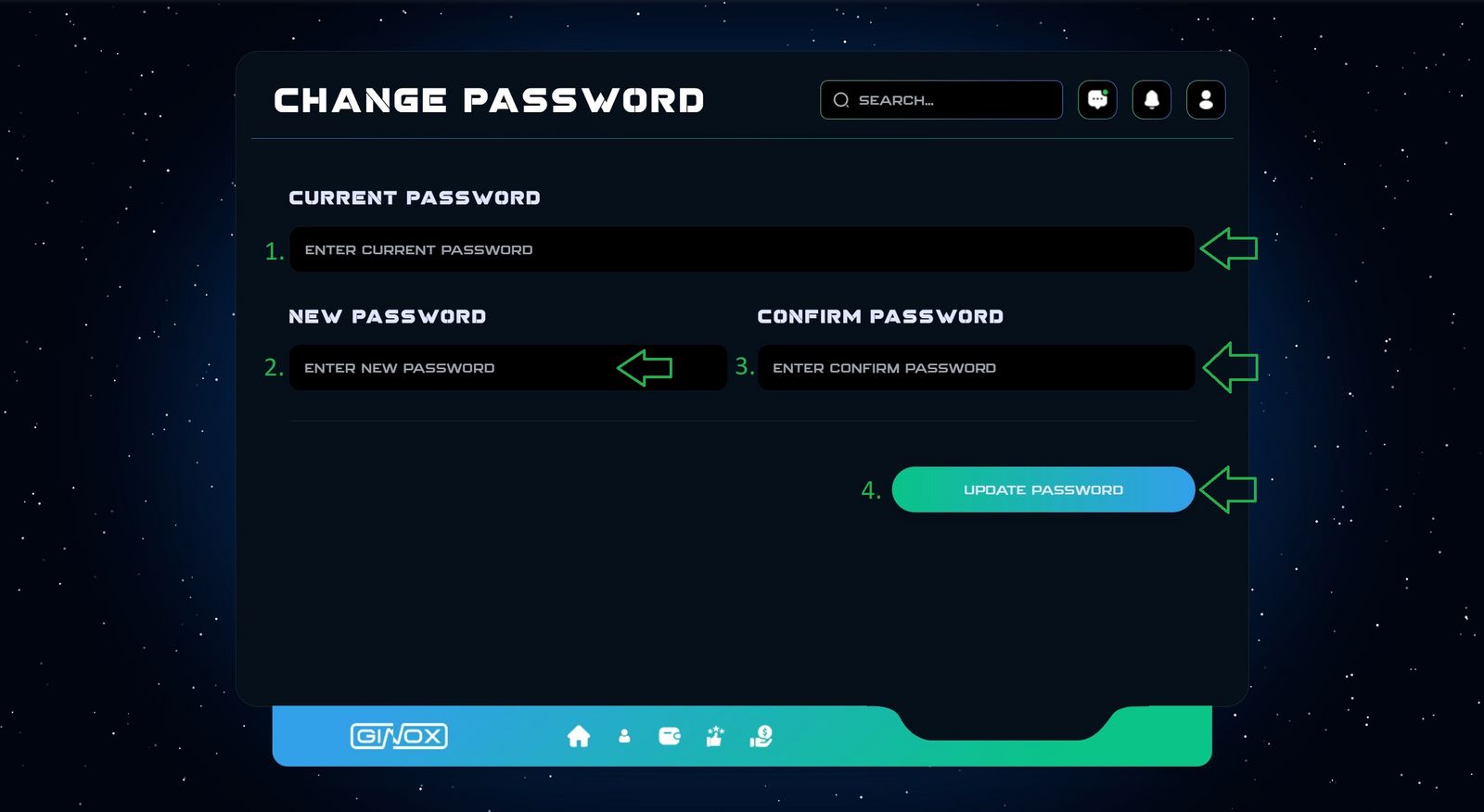
- Enter current password.
- Enter new password.
- Enter confirm password.
- Click on update password button.
Tips
. Your New Password must be different form your Old one.
. Minimum Password length: 8 characters.
Your password has been changed successfully.
If you face any Issues, our support team is here to help.