Product: My Space
steps to Deposit USDT
1.LOGIN
Login in to your account.
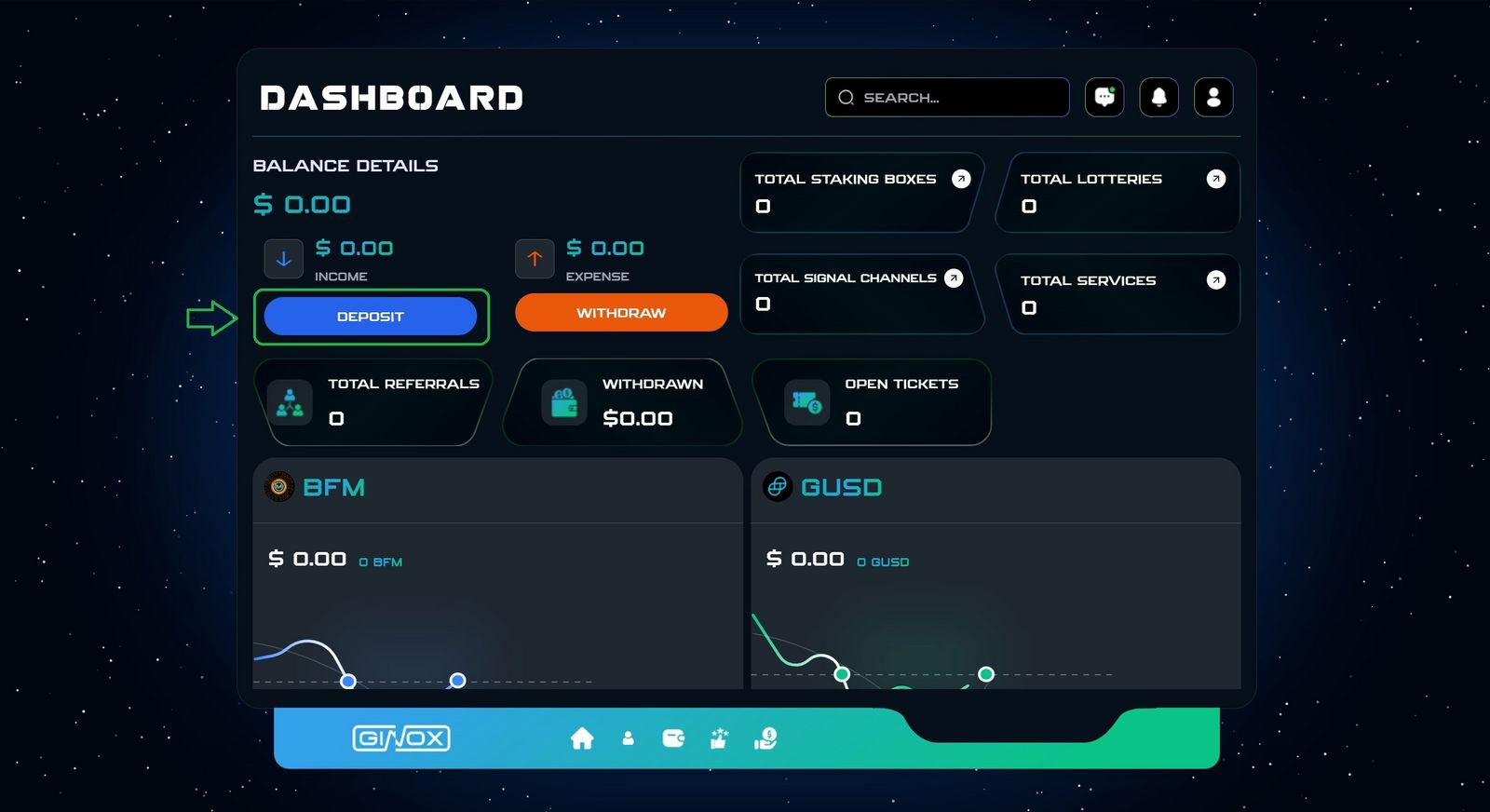
Go to the dashboard page.
2.Dashboard Page
Click on the Deposit button. (Green box)
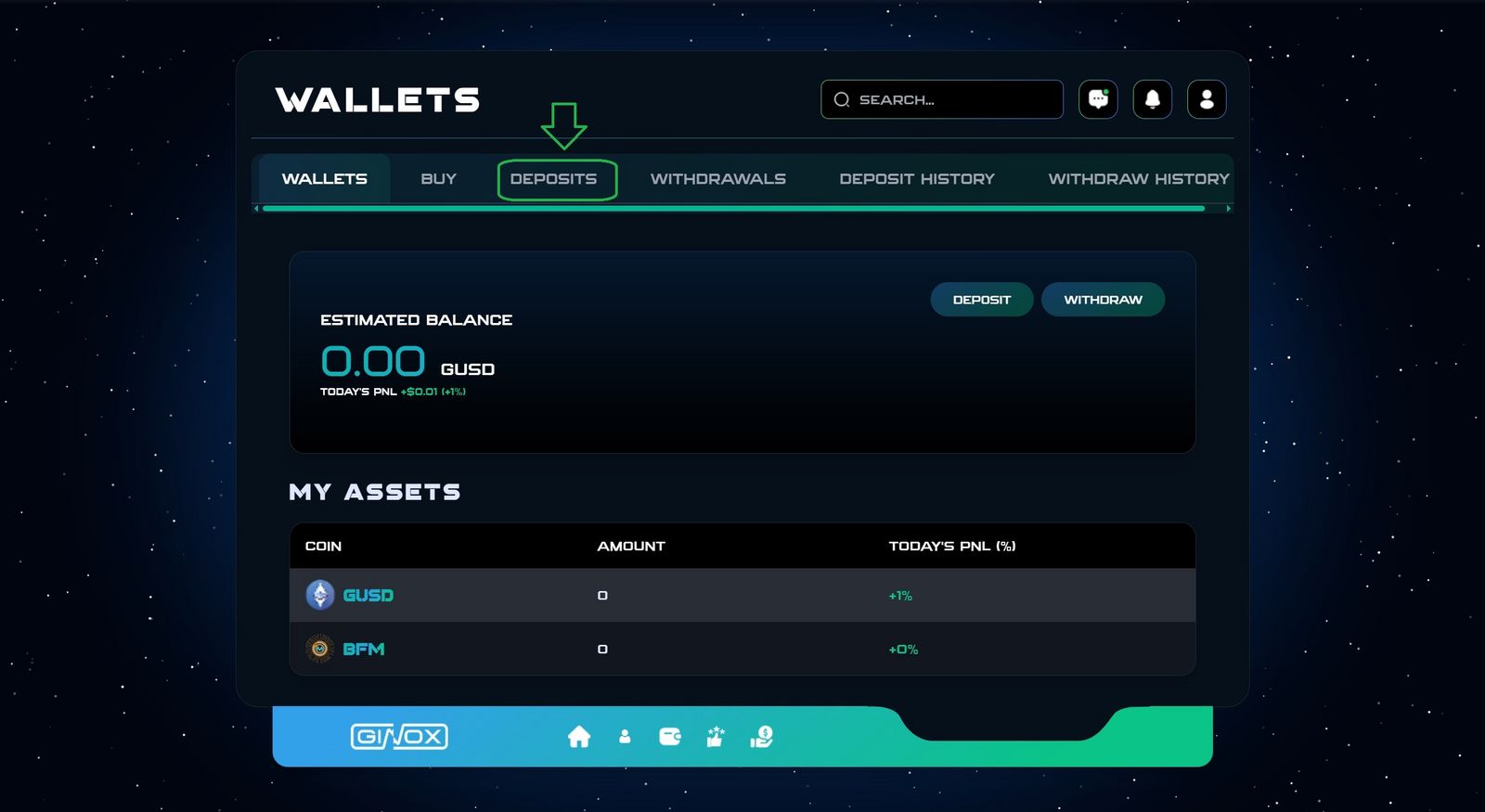
3.Wallets
Click on Deposit section.
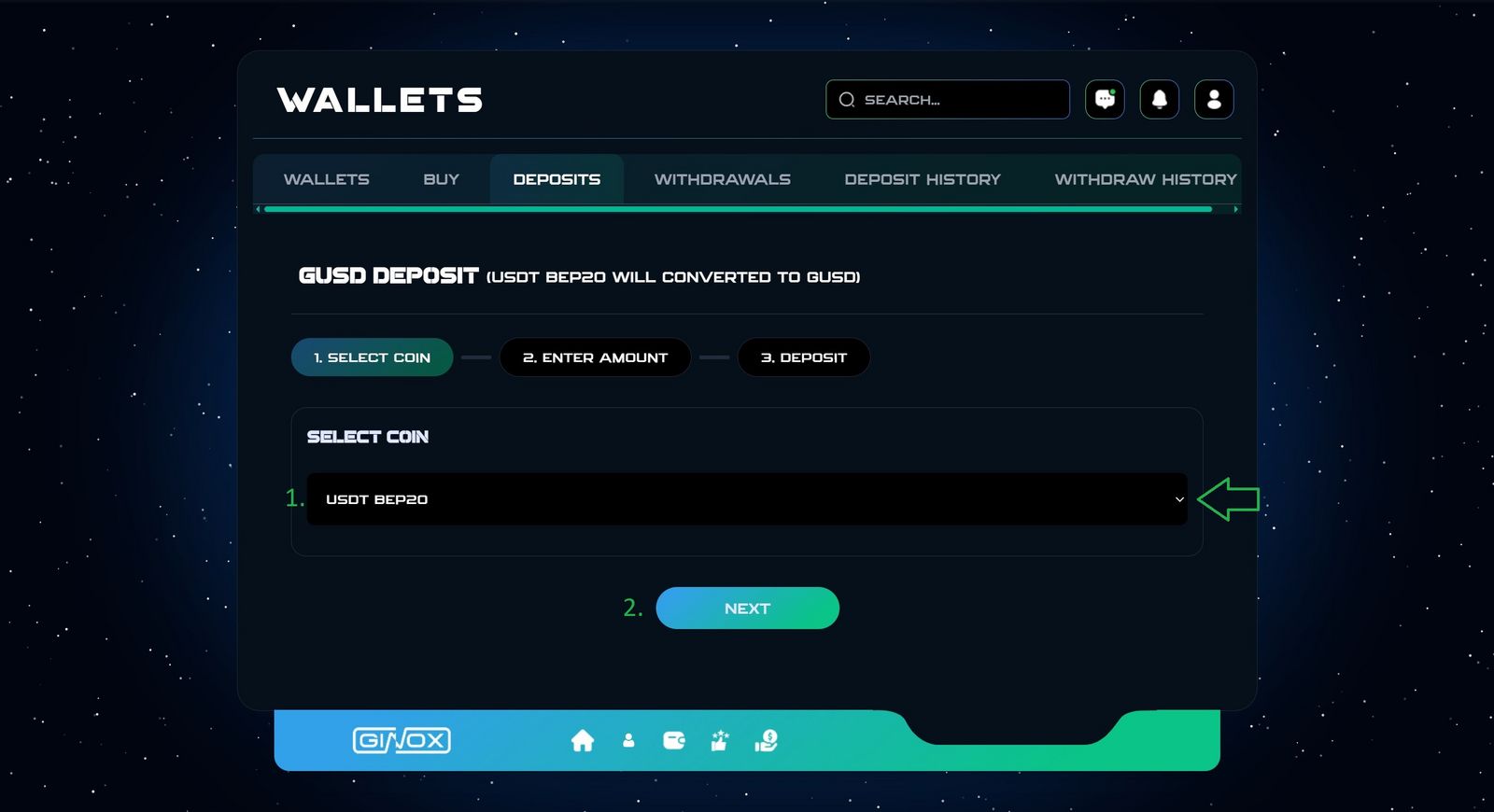
4.Select Coin
- Select Coin
- Click on the next button.
Tips
Please make sure to select the correct payment network.
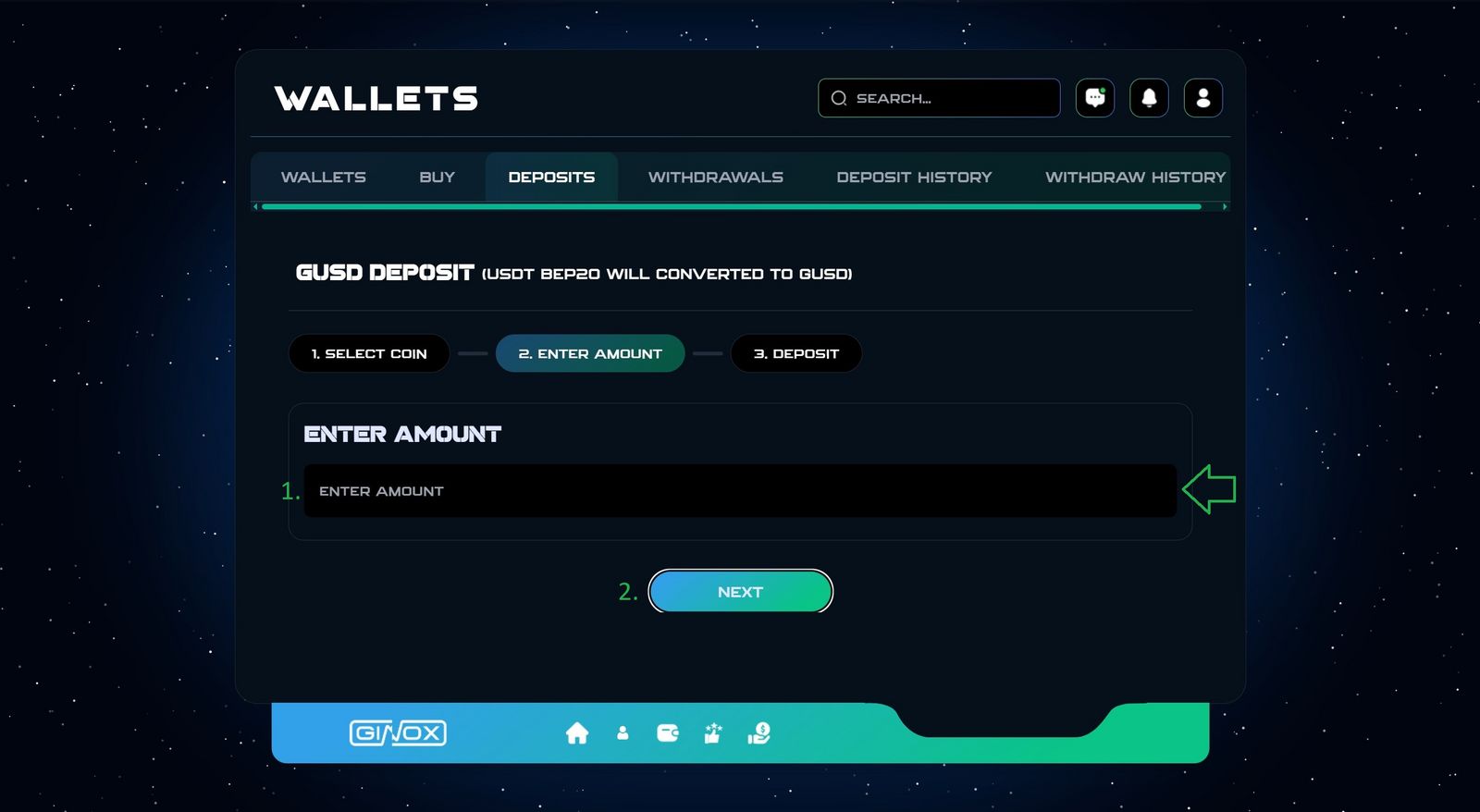
5.Enter amount
- Enter your amount.
- Click on the next button.
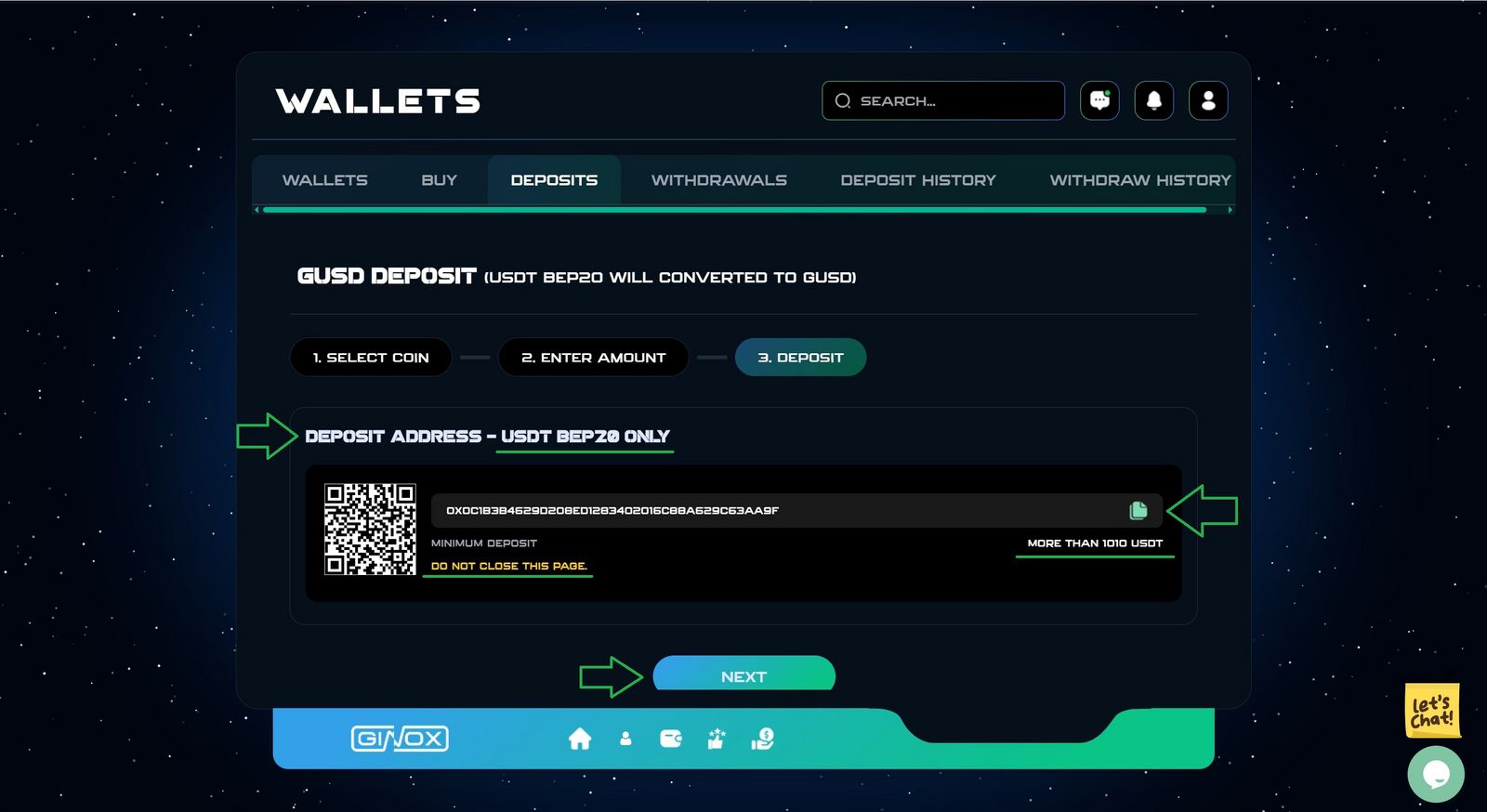
6.Deposit Address
- Copy the address and complete the payment securely.
- Stay on the payment page until your transaction is confirmed.
- Click on the next button.
Tips
. Carefully Check your deposit address.
Entering an incorrect address may result in the loss of your funds.
. Depositing any coin other than the selected coin to this address will result in the loss of your funds and make them inaccessible.
. The payment amount must be exactly the amount specified by the website.
It should not be less or more.
Payment was completed successfully.
In case of any potential errors, you can contact the support team.