Product: My Space
Steps to Sign Up
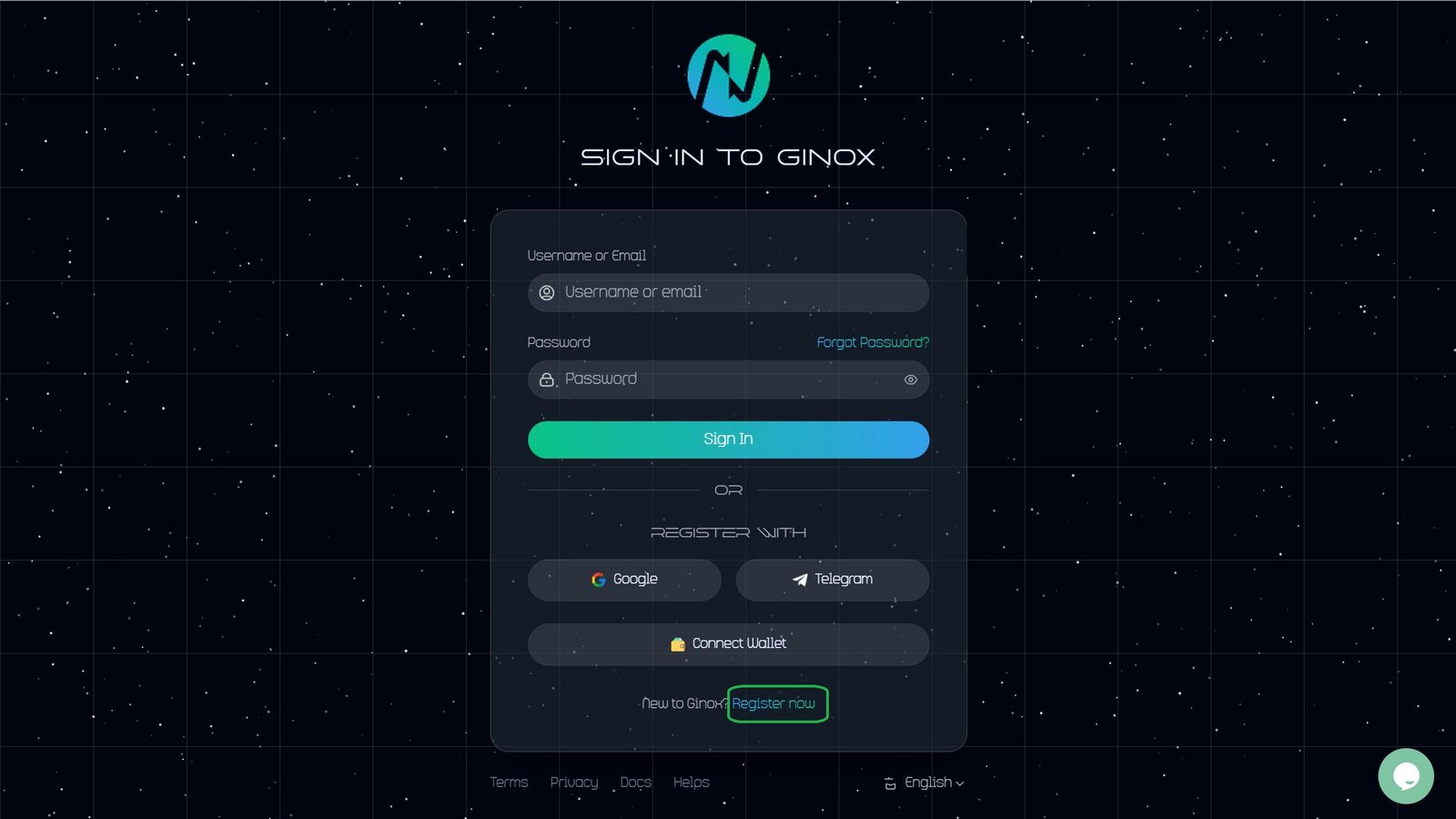
1.Go to the Login page.
Click on the Login button.

2.Click on the Register Now button.
similar to the image below (green box)
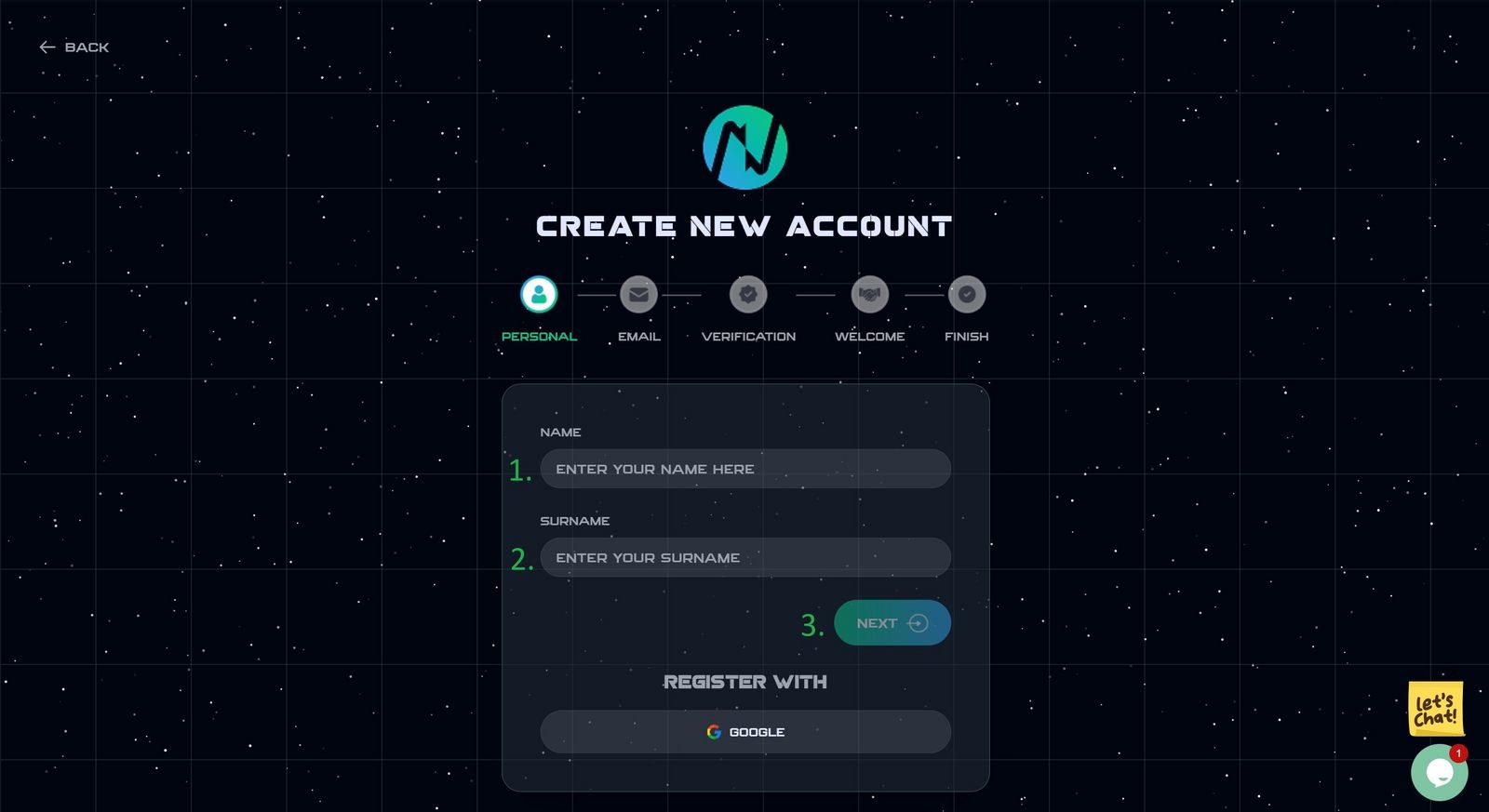
3.Enter your personal information
- your name
- your surname.
- Then, click on the next button.
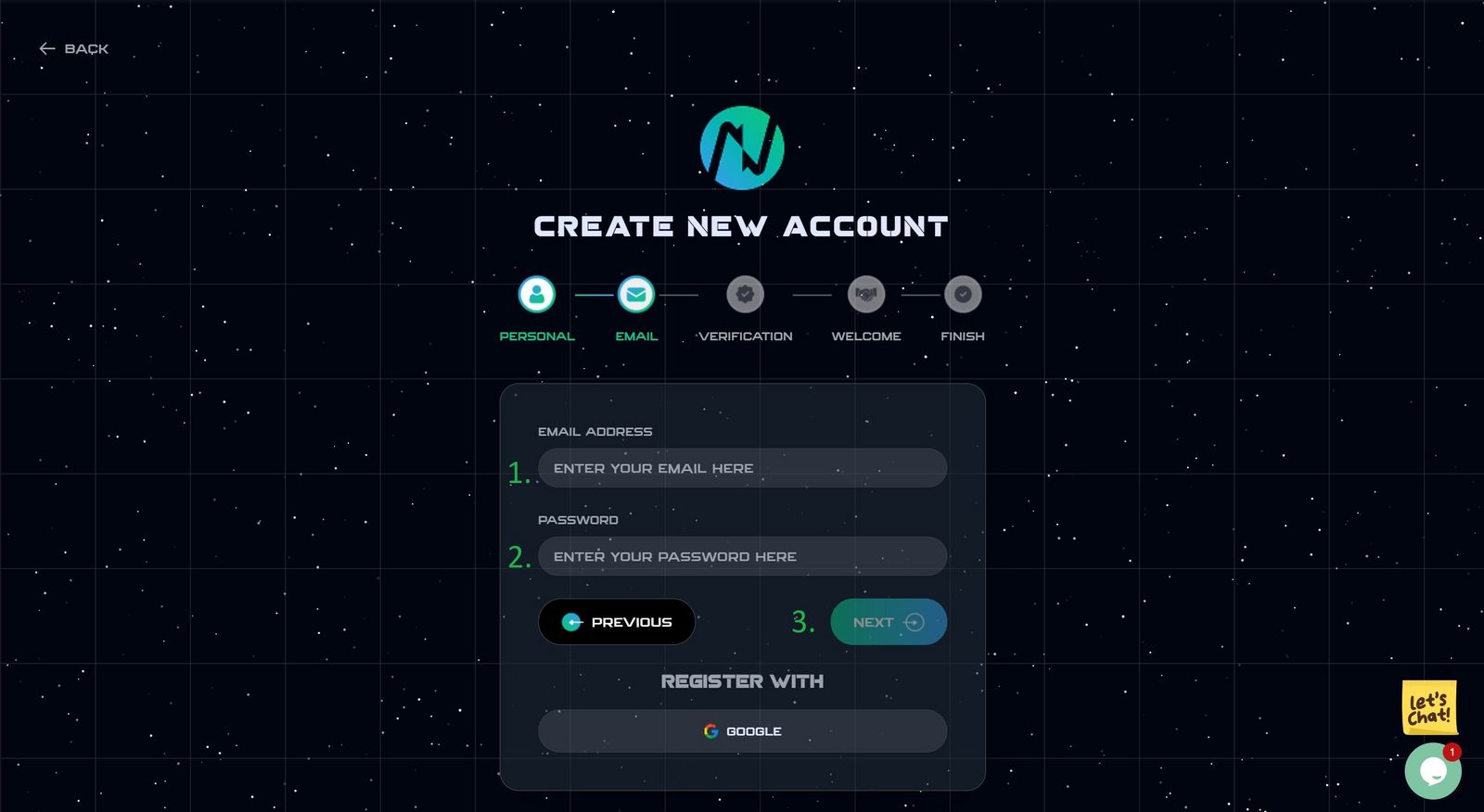
4.Enter Email
- Enter your Email address (use a valid address)
- Enter your password (password must be at least 8 characters long and use at least a number)
- Then, click on the next button.
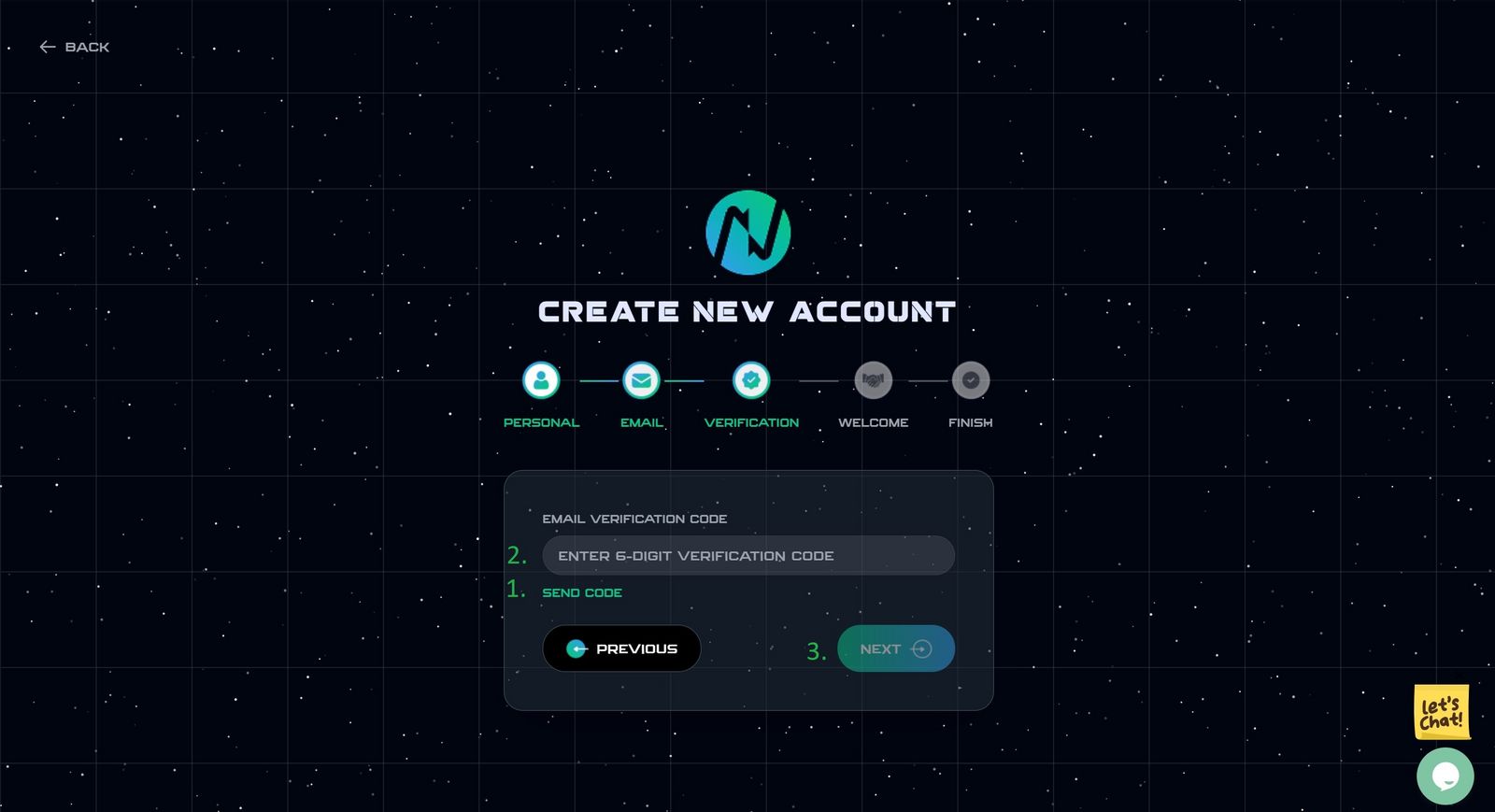
5.Verification
- Click on the Send code, and wait a minute.
- Enter 6-digit Verification code sent to your Email.
- Then, click on the next button.
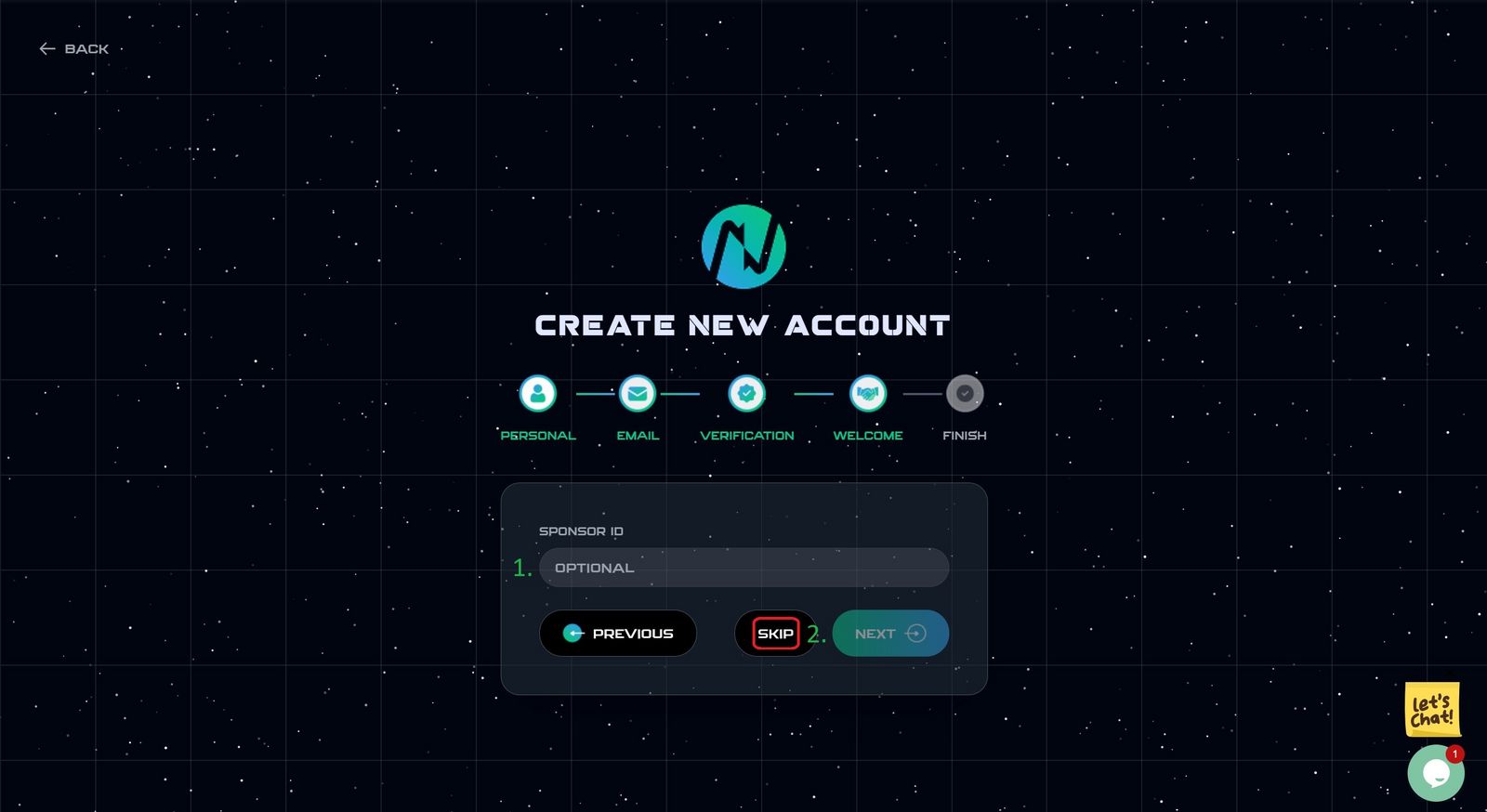
6.Sponser ID
(This section is optional.)
- Enter your sponsor ID
- Then, click on the next button.
Tips
. this section is optional.
. If you don't have a sponsor, just skip. (red box in the image below)
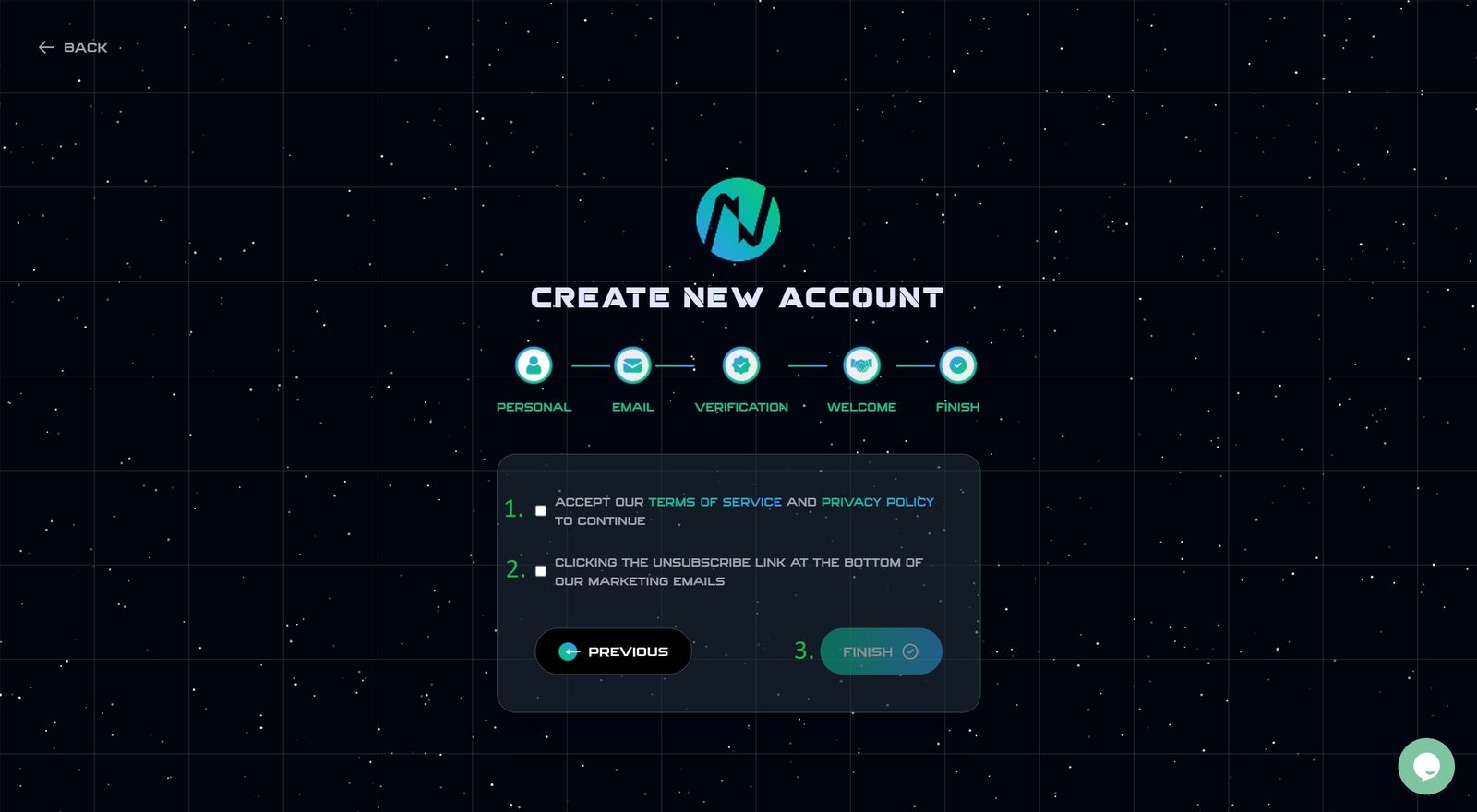
7.Finish
- Please read the Terms of Service and Privacy policy, and if you agree, confirm the option.
- Click here, if you agree.
Welcome To Ginox...!
you can continue and Login to the personal dashboard.