Product: My Space
Steps to Withdraw Funds
1.LOGIN
Login in to your account.
Go to the dashboard page.
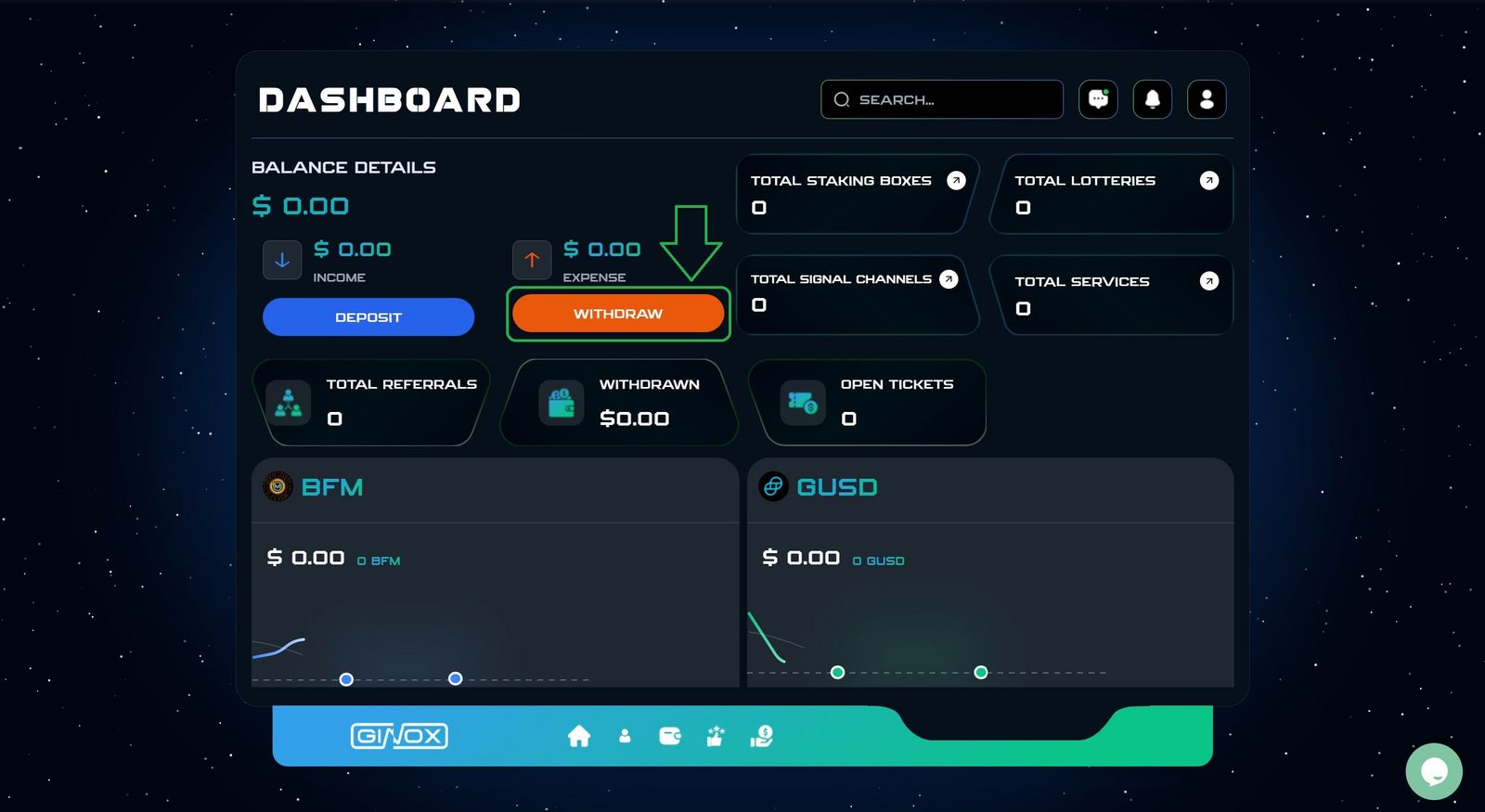
2.Dashboard Page
Click on the Withdraw button. (Green box)
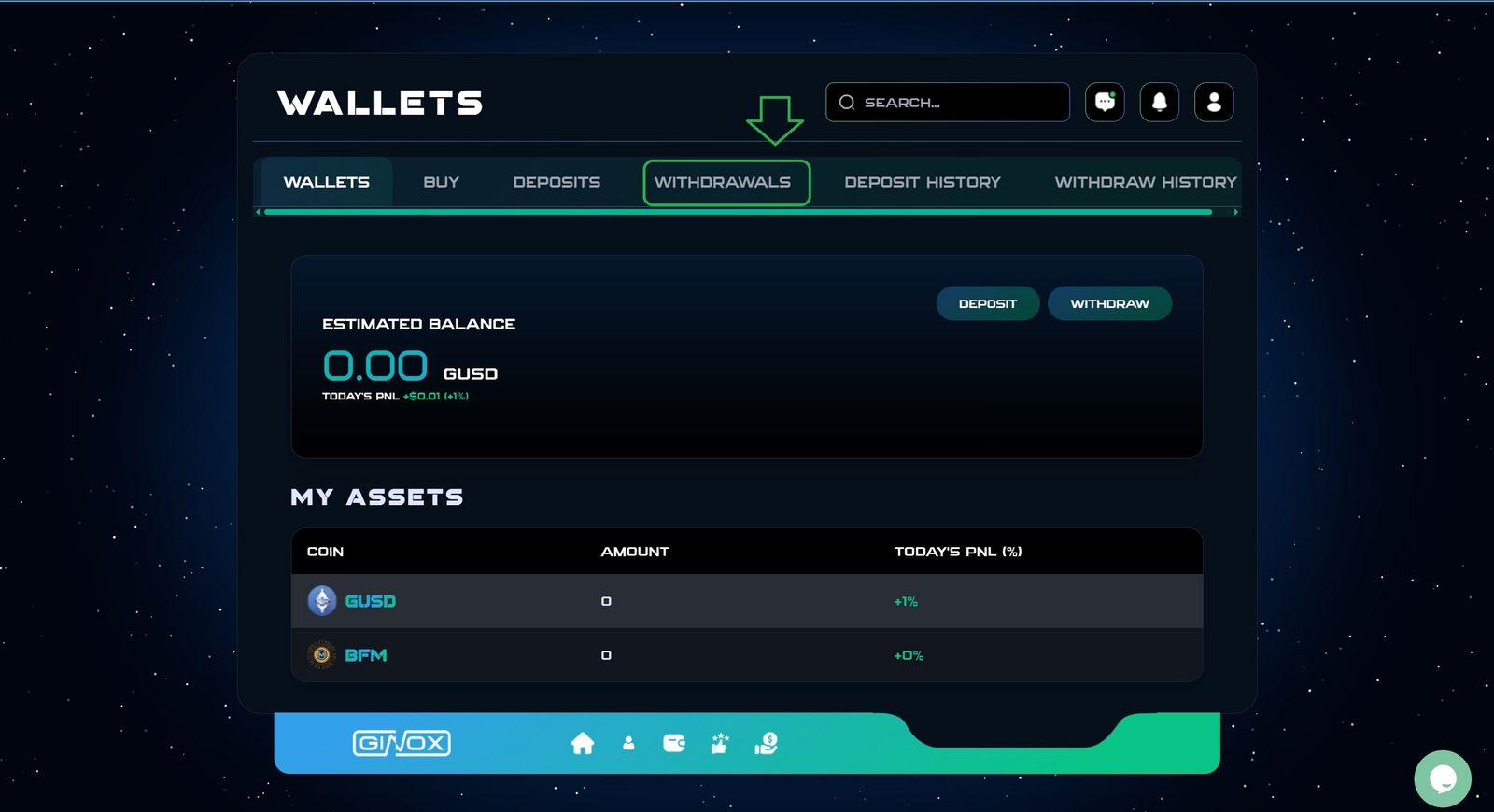
3.Wallets
Click on Withdrawals section.
4.whithdrawals
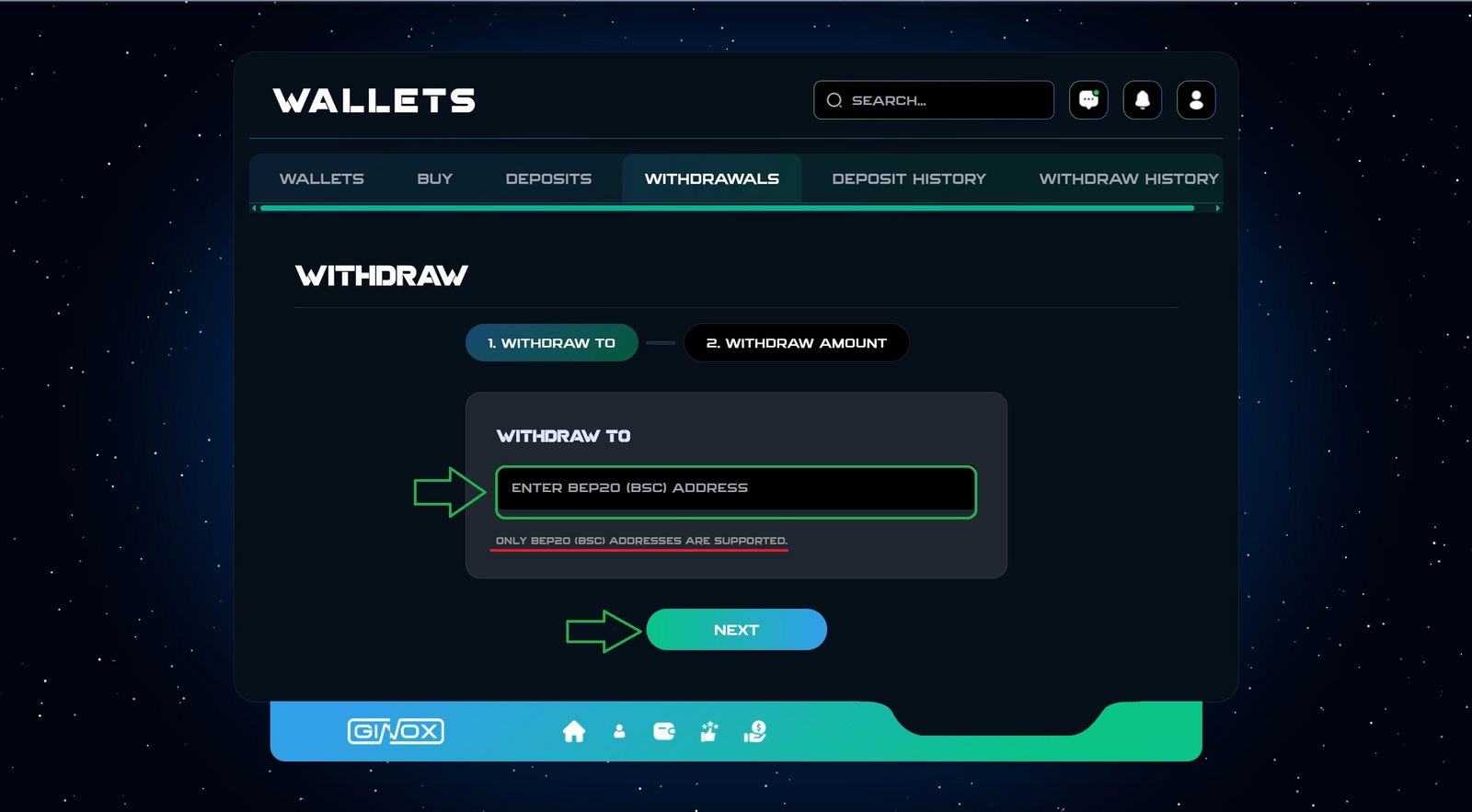
- Enter your BEP20 (BSC) address.
- Click Next.
Tips
. Only BEP20 Addresses are supported.
. Enable 2FA CODE and E-PIN Before Submitting a withdrawal request.
5.Withdraw Amount
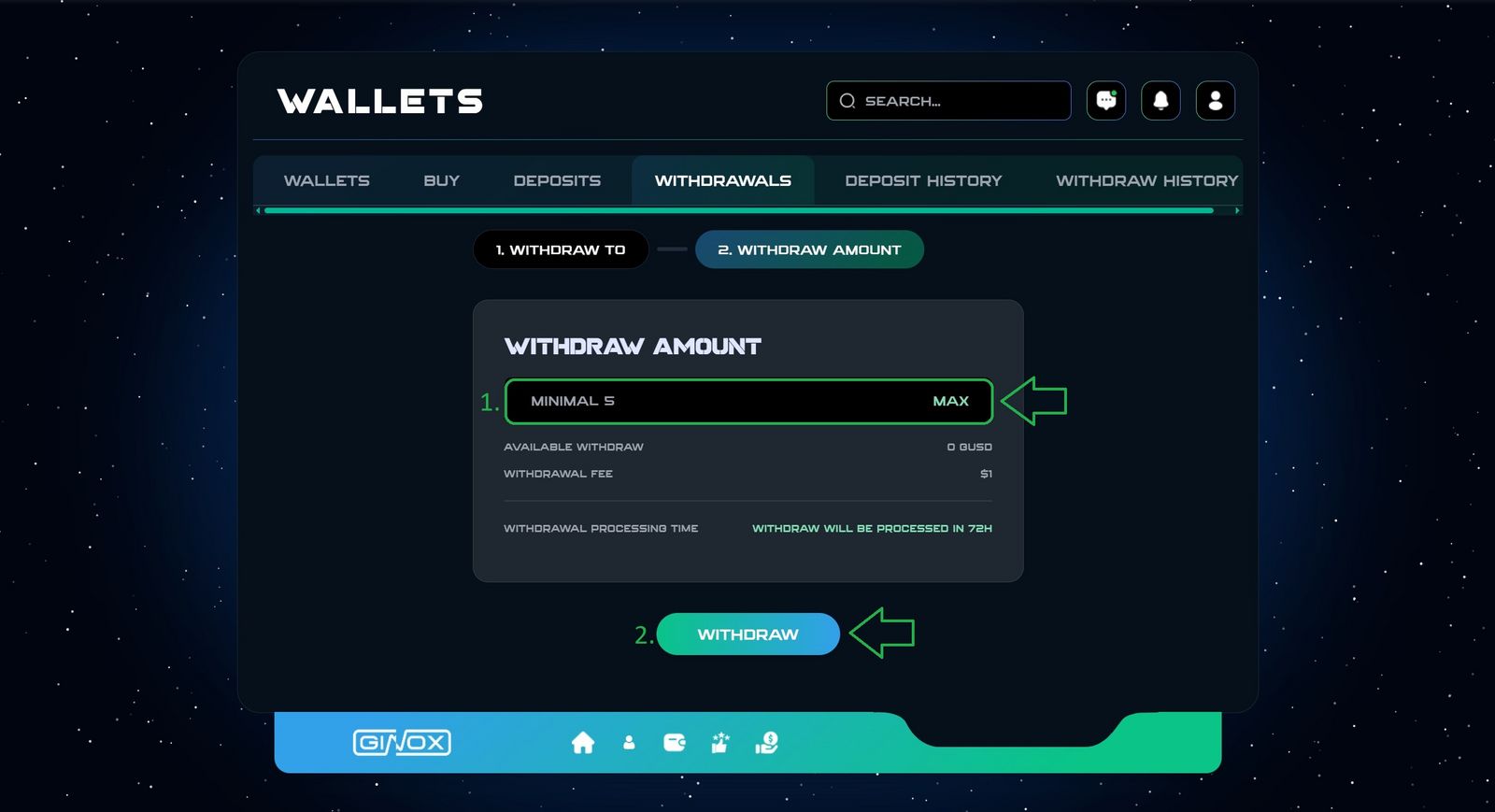
- Enter your Withdraw Amount.
- Click Withdraw.
Tips
. The minimum withdrawal is $5.
. The withdrawal fee is $1.
. Withdraw will be processed in 72 hours.
Your withdrawal request has been submitted successfully.
If you encounter any Issue, the support team is here to help you.