Product: Gidex
How to Trade Tokenized Stocks (RWA) on GiDex
GiDex lets you trade tokenized versions of real-world stocks and ETFs directly using crypto. These are called RWA (Real-World Assets). Instead of opening a traditional brokerage account, you can buy and sell tokens that represent companies like Apple, NVIDIA, Tesla, Meta, and dozens more, all using USDT on BNB Smart Chain.
There are 93 tokenized assets available, covering categories like Technology, Consumer, Financials, ETFs, Large Cap, and Growth. This guide walks you through the complete process of buying and selling tokenized stocks on GiDex.
Step 1: Open the RWA Dashboard
Go to app.ginox.io and click "Gidex - Defi" on the left sidebar. Then click "RWA Dashboard" in the bottom navigation bar. This is where you can browse all available tokenized assets.
The dashboard is divided into several sections. At the top, you will see a live ticker bar scrolling through asset prices. Below that, there are three highlight sections: Top Gainers (best performers in the last 24 hours), Trending (biggest movers), and Newly Added (recently listed assets).
Further down, the Explore Assets section lets you browse the full catalog. You can filter by category (ETF, Technology, Consumer, Financials, Large Cap, Growth), search for a specific stock by name or ticker, and sort by popularity or performance.
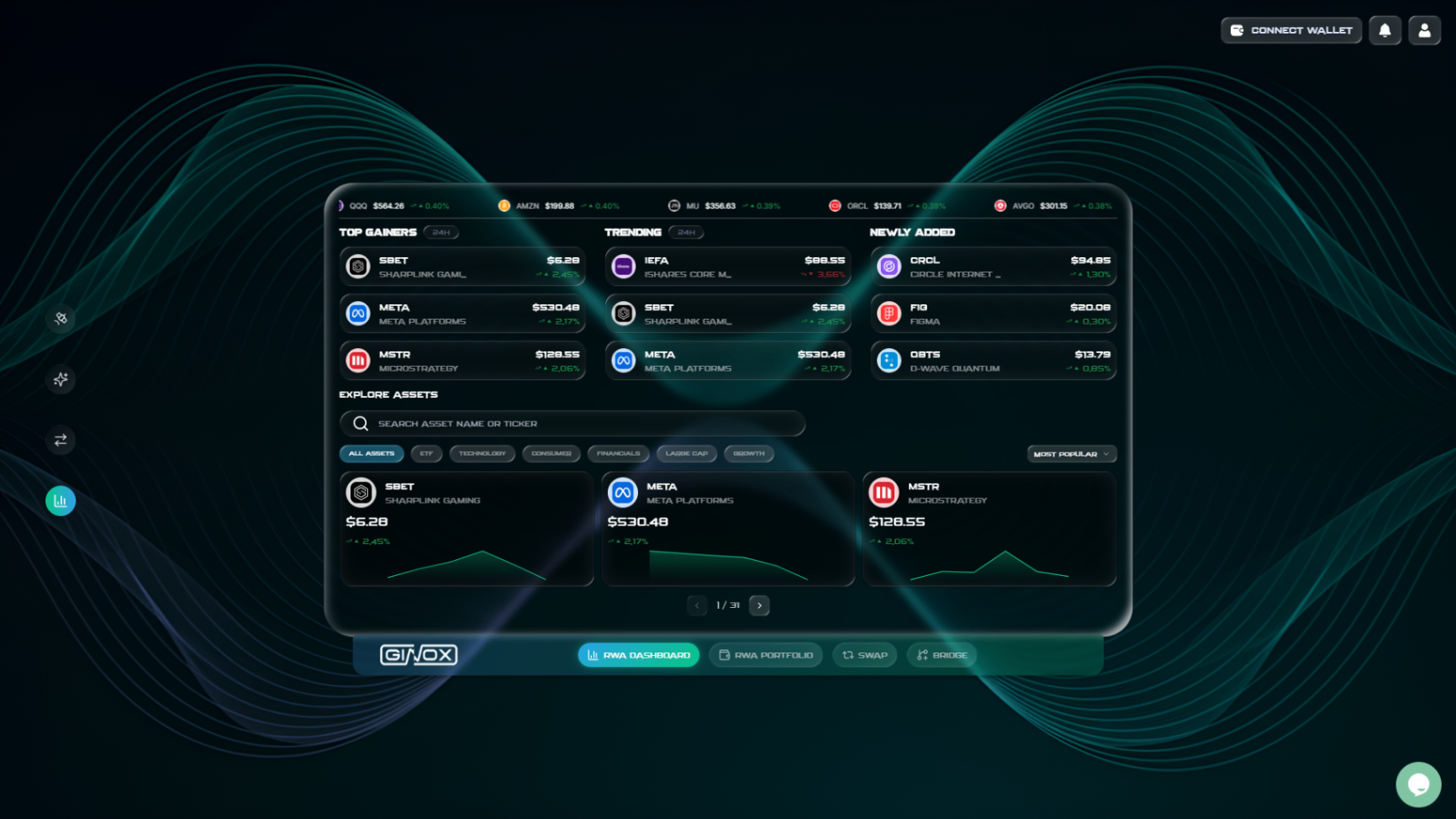
The RWA Dashboard showing top gainers, trending assets, and the explore section with categories.
Step 2: Connect and Authenticate
Click "Connect Wallet" in the top-right corner and connect your MetaMask or other supported wallet. Sign the message to log in.
RWA trading requires you to be authenticated on the Ginox platform. The wallet-based sign-in you completed during connection handles this automatically. Once you are logged in, you are ready to trade RWA tokens.
Step 3: Go to the RWA Portfolio Page
Click "RWA Portfolio" in the bottom navigation bar. This is the main page where you manage your RWA holdings and make trades.
At the top, you will see a Summary section with three key numbers: Total Portfolio Value (the current value of all your RWA tokens), Total Invested (how much you originally put in), and Total Earnings (your profit or loss).
Below the summary, the Tokens table lists all available RWA assets. Each row shows the token name, type, how many tokens you hold, and Buy/Sell action buttons.
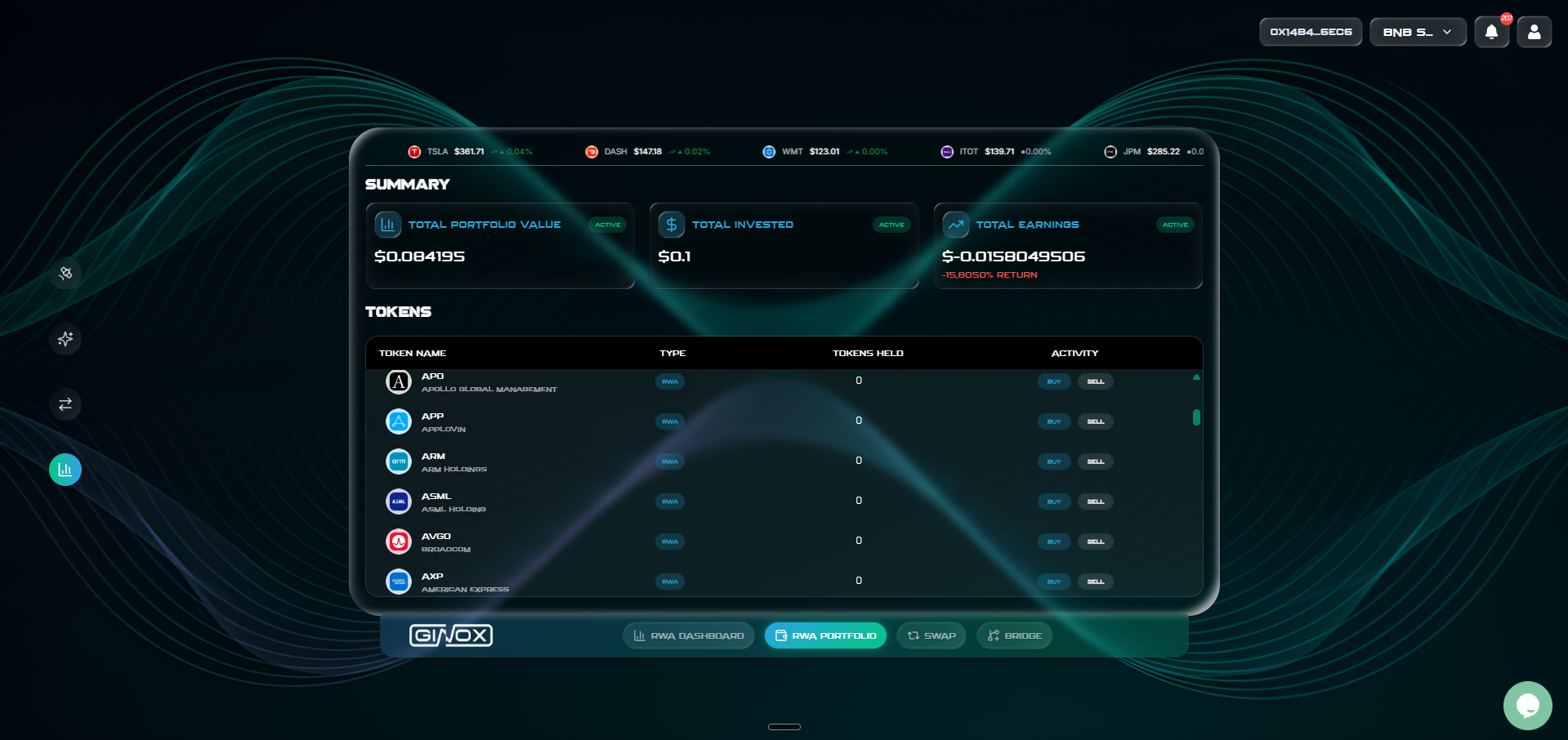
The RWA Portfolio page showing your summary and the full list of tokenized assets with Buy and Sell buttons.
Step 4: Buy a Tokenized Stock
Find the stock you want to buy in the Tokens table and click the "Buy" button next to it. A trade dialog will open.
In the Buy dialog, you will see:
- An amount field where you enter how much USDT you want to spend
- The estimated output showing how many tokens you will receive
- A fee breakdown (Ginox fee, aggregator fee, gas fee)
- A max slippage setting (default works for most trades)
Enter the amount of USDT you want to spend, review the estimated output and fees, then click "Buy" to confirm. Your wallet will ask you to approve the USDT spend (if this is your first time) and then confirm the buy transaction.
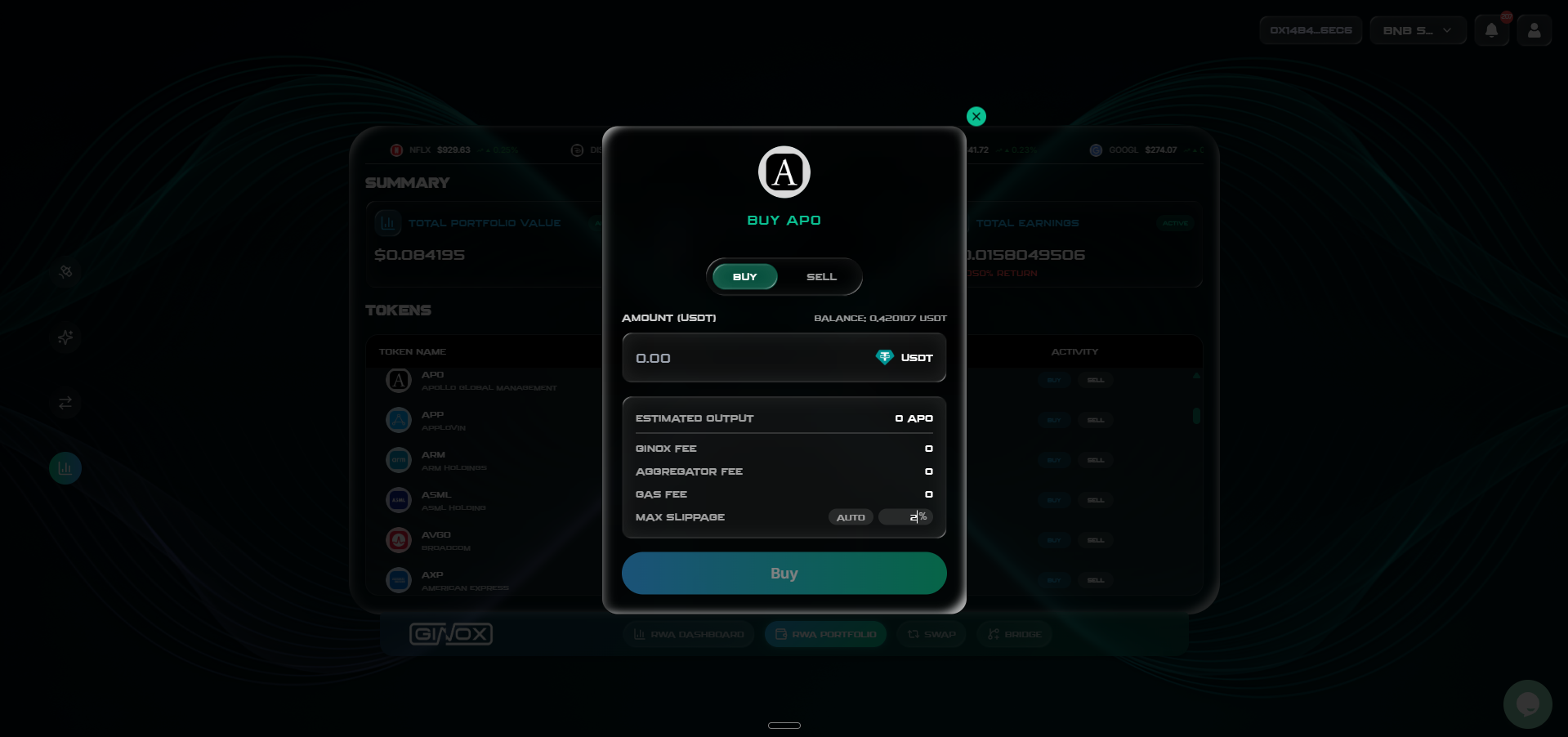
The Buy dialog for a tokenized stock. Enter USDT amount, review fees, and click Buy.
Step 5: Sell a Tokenized Stock
When you want to sell, find the token in the Tokens table and click the "Sell" button. The same trade dialog will open, but this time with the Sell tab active.
Enter how many tokens you want to sell. The dialog will show the estimated USDT you will receive, along with the fee breakdown and slippage setting. Click "Sell" to confirm, and approve the transaction in your wallet. The USDT will be sent directly to your wallet once the transaction is complete.
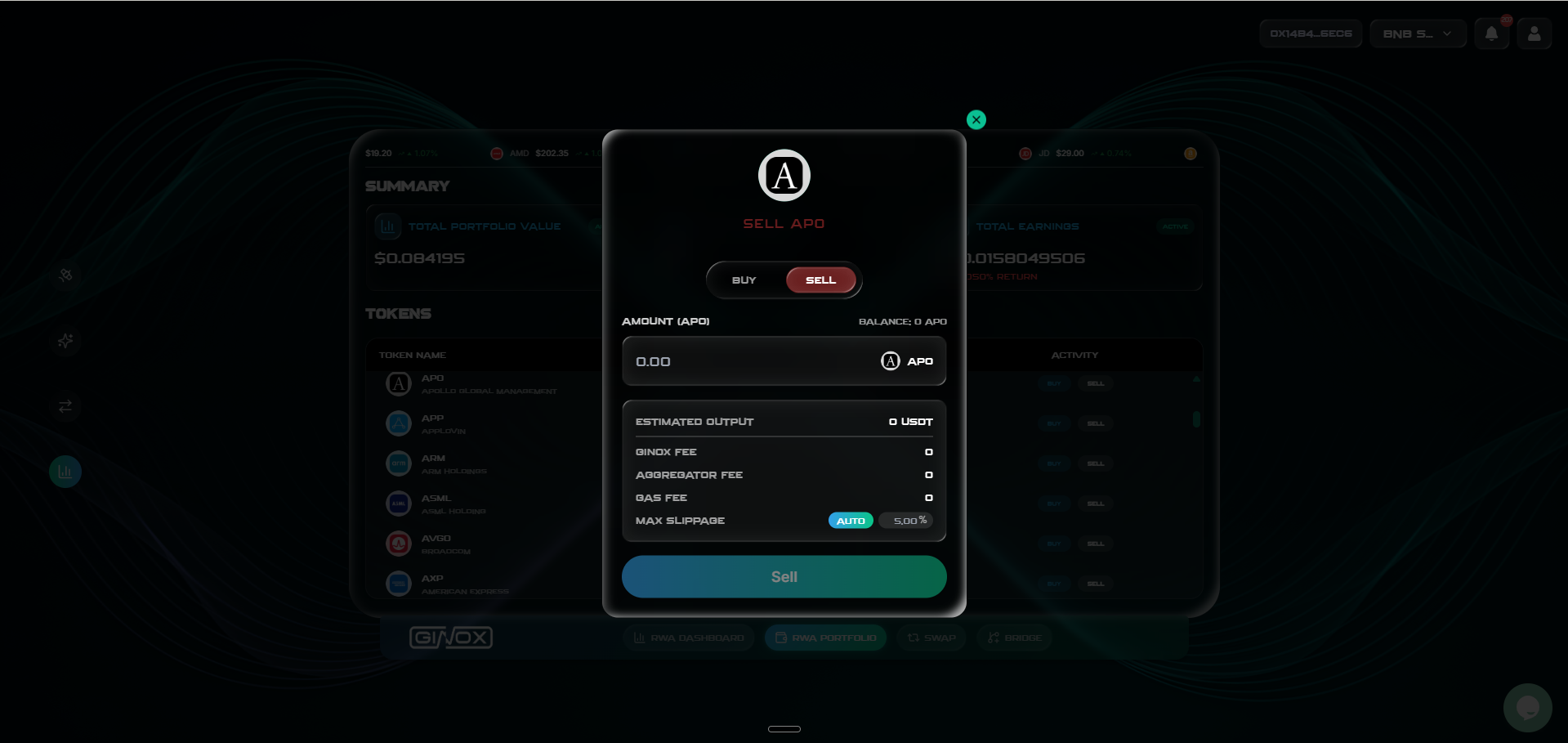
The Sell dialog for a tokenized stock. Enter the token amount, review the USDT output, and click Sell.
Step 6: Track Your Holdings
After buying, your tokens will appear in the RWA Portfolio page. The "Tokens Held" column shows how many of each token you own. The Summary section at the top updates in real time to reflect your total portfolio value, invested amount, and earnings.
You can come back to this page anytime to check how your portfolio is performing, buy more of an asset, or sell your holdings.
Frequently Asked Questions
What are tokenized stocks?
Tokenized stocks are digital tokens on the blockchain that represent real-world company shares or ETFs. Their price tracks the actual stock price, giving you exposure to traditional market assets without needing a brokerage account. On GiDex, these tokens are powered by Ondo Finance on BNB Smart Chain.
What stocks and ETFs are available?
GiDex offers 93 tokenized assets spanning multiple categories. You will find major tech companies (Apple, NVIDIA, Tesla, Microsoft, Meta, Amazon), consumer brands (Coca-Cola, Walmart, Costco, McDonald's), financial firms (JPMorgan, Goldman Sachs), and popular ETFs (S&P 500, QQQ, bond ETFs, gold ETFs). The full list is available on the RWA Dashboard and Portfolio pages.
What do I need to buy RWA tokens?
You need USDT on BNB Smart Chain in your wallet, plus a small amount of BNB to cover gas fees. Connect your wallet, make sure you are on BNB Smart Chain, and you are ready to trade.
Do I earn dividends from tokenized stocks?
No. Tokenized stocks on GiDex provide price exposure only. You profit by buying at a lower price and selling at a higher price. Dividends are not distributed to token holders.
Which blockchain is RWA trading on?
RWA trading is available on BNB Smart Chain only. Make sure your wallet is connected to BNB Smart Chain before trading RWA tokens.